394
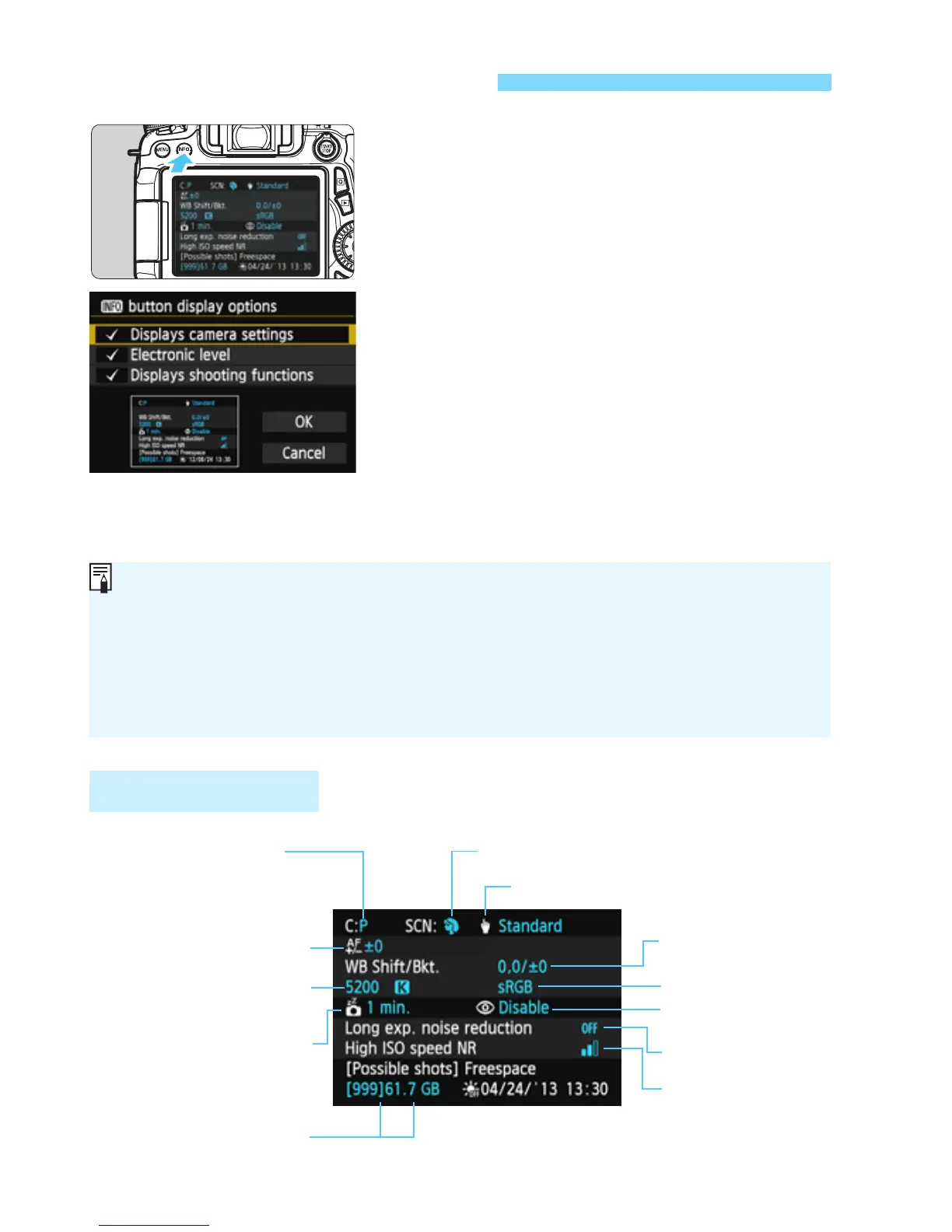
When you press the <B> button
while the camera is ready to shoot, you
can display [Displays camera settings],
[Electronic level] (p.65), and [Displays
shooting functions] (p.395).
Under the [53] tab, [z button
display options] enables you to select
the options displayed when the <B>
button is pressed.
Select the desired display option and
press <0> to append a checkmark
<X>.
After making the selection, select
[OK], then press <0>.
B Button Functions
Camera Settings
Note that you cannot remove the <X> for all three display options.
The [Displays camera settings] sample screen is displayed in English
for all languages.
Even if you uncheck the [Electronic level] so it does not appear, it will
still appear for Live View shooting and movie shooting when you press
the <B> button.
(p.155)
(p.138, 139)
Shooting mode
registered to the Mode
Dial’s <
w
>
(p.31, 117)
(p.143)
(p.141)
(p.137)
(p 377)
<
8
> mode (p.81)
(p 56)
(p.190)
(p.59)



 To Next Page