143
The LCD monitor is a touch-sensitive panel that you can touch with your
fingers for various playback operations. First, press the <x> button
to play back images.
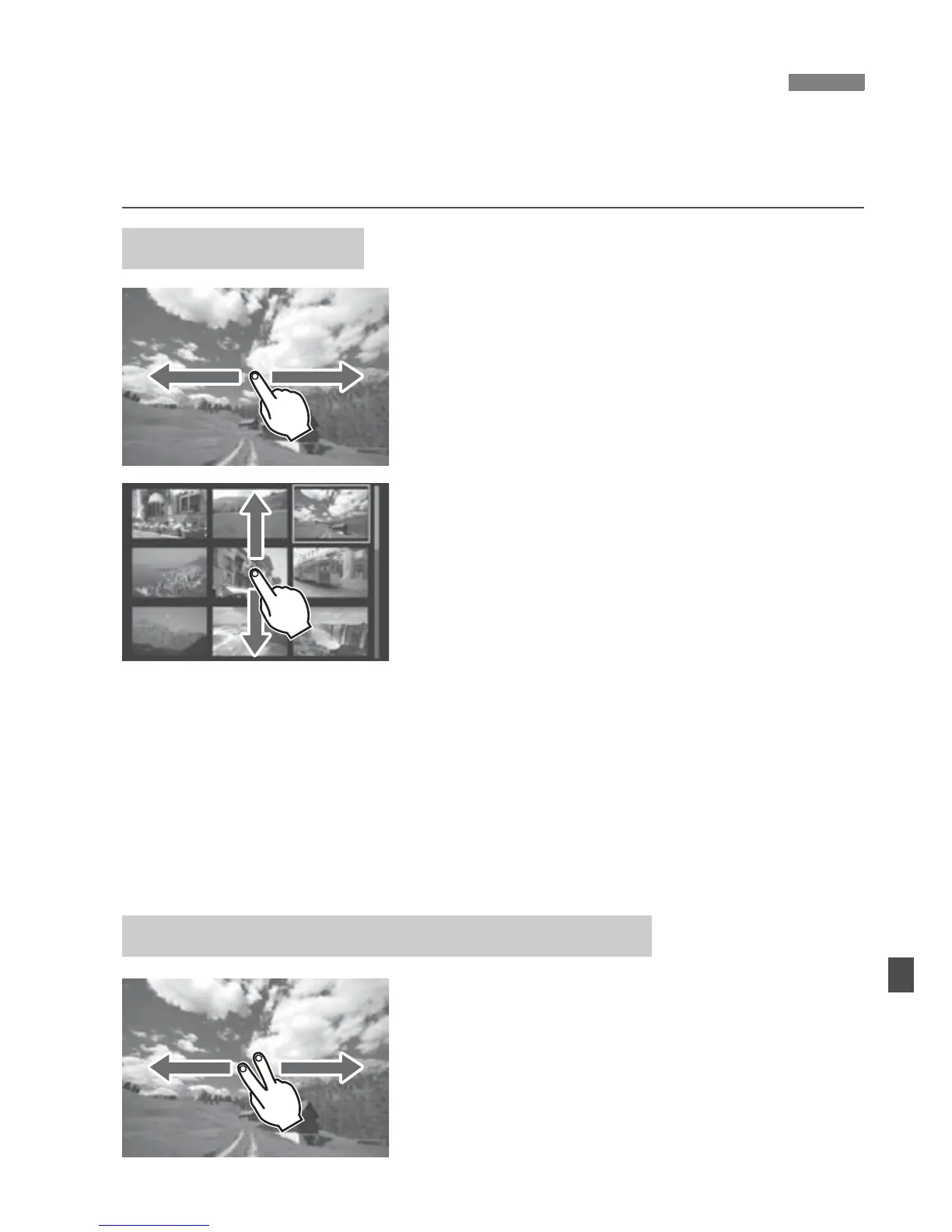
Swipe with one finger.
With single-image display, touch the
LCD monitor with one finger. You
can browse to the next or previous
image by swiping your finger to the
left or right. Swipe left to see the next
(newer) images or swipe right to see
previous (older) images.
With index display, also touch the
LCD monitor with one finger. You
can browse to the next or previous
screen by swiping your finger up or
down.
Swipe up to see the next (newer)
images or swipe down to see the
previous (older) images.
When you select an image, the
orange frame will appear. Tap the
image again to display it as a single
image.
Swipe with two fingers.
Touch the LCD monitor with two fingers.
When you swipe two fingers to the left
or right, you can jump through images
with the method set in [Image jump w/
6] under the [x2] tab.
d Playing Back with the Touch Screen
Browsing Images
Jumping through Images (Jump Display)



 To Next Page