67
Q Displaying the Electronic Level
The viewfinder can display an electronic level and grid using the AF
points. This is convenient to correct any camera tilt before shooting with
a tripod.
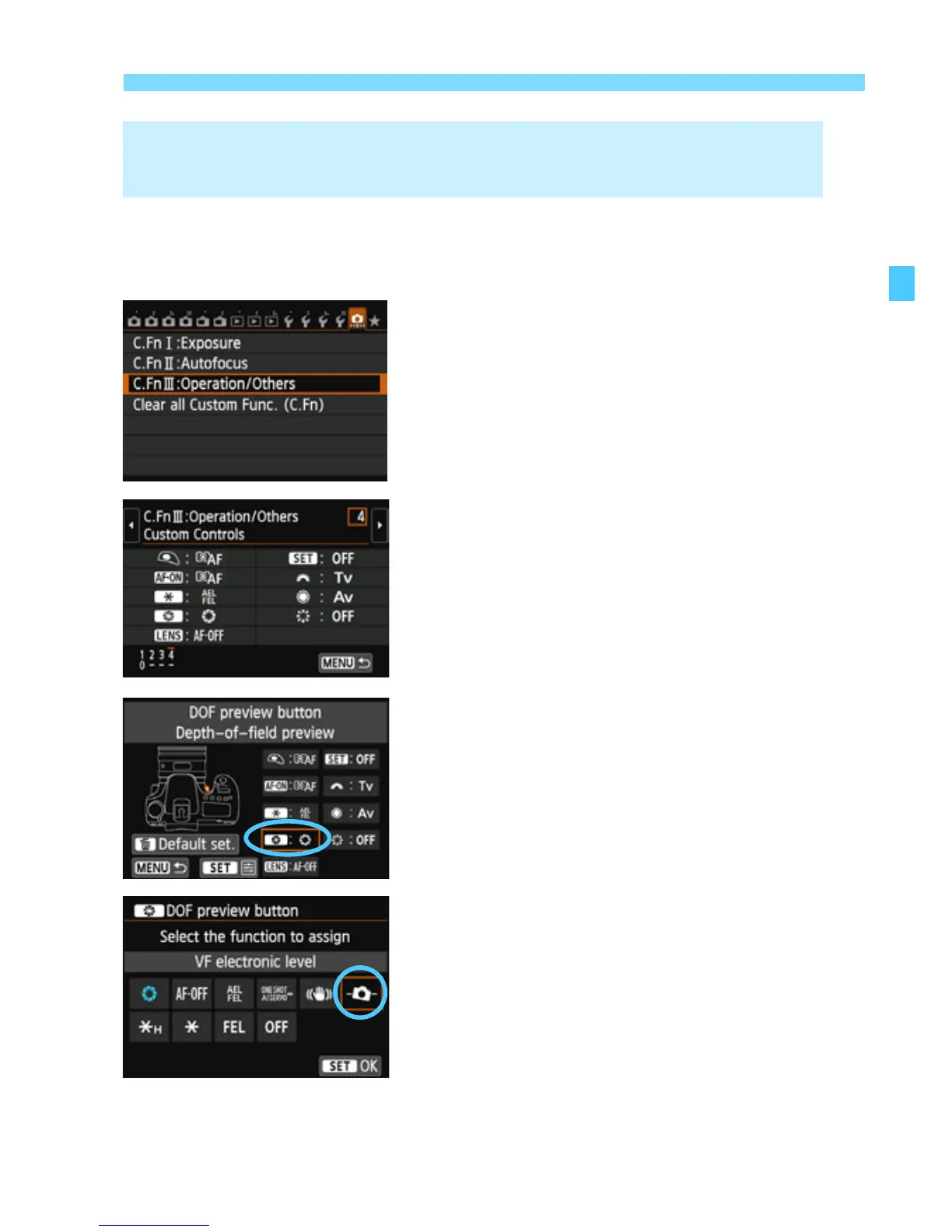
1
Select Custom Functions III.
Under the [8] tab, select [C.Fn III:
Operation/Others], then press
<0>.
2
Select C.Fn III -4 [Custom
Controls].
Press the <U> key to select [4:
Custom Controls], then press <0>.
3
Select [e].
Select [e: DOF preview button],
then press <0>.
4
Select [
Q
].
Select [Q: VF electronic level],
then press <0>.
Press the <M> button to exit the
menu.
3 Displaying the Electronic Level in the Viewfinder
Before ShootingN


 To Next Page