Basic Operation
44
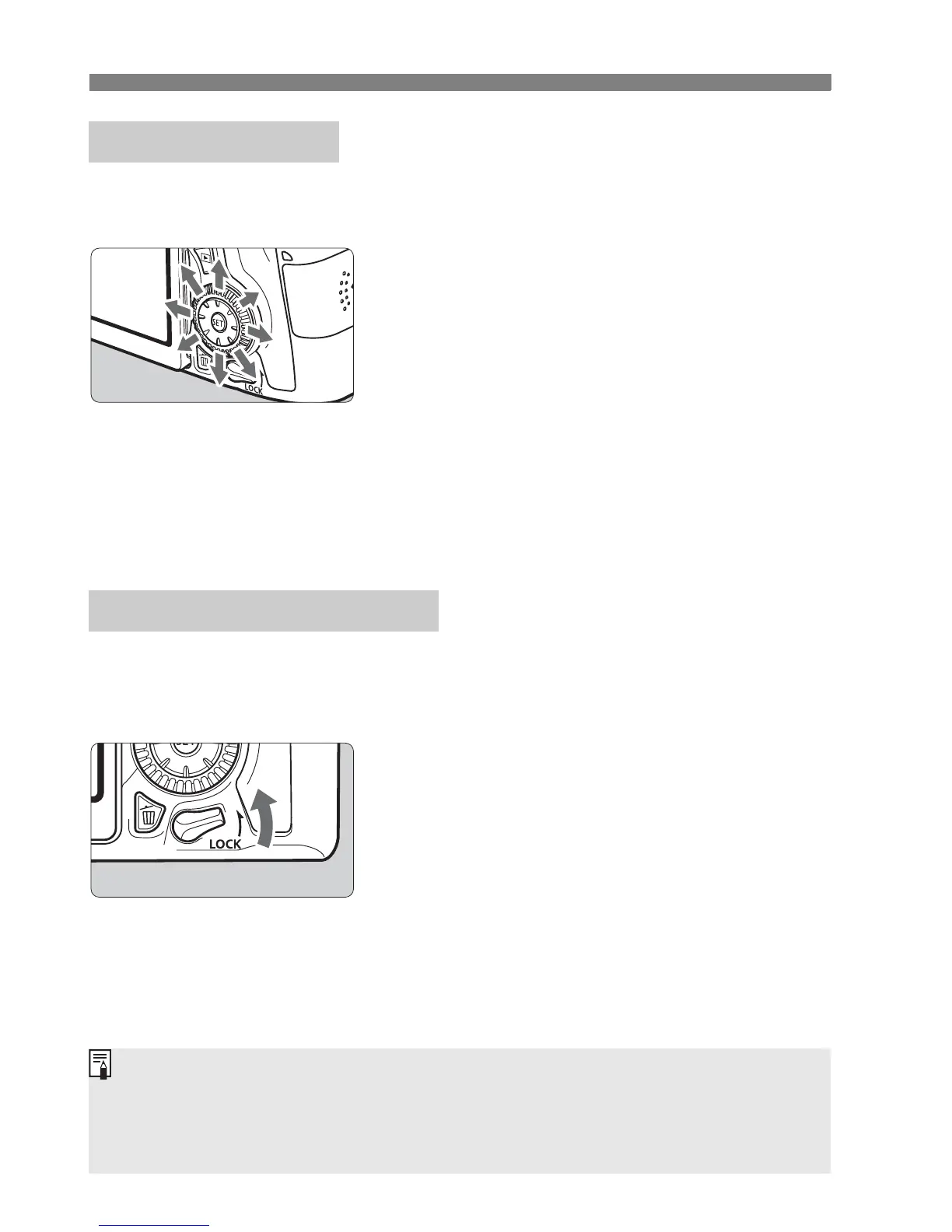
The Multi-controller <9> has eight keys that tilt in the directions shown
by the arrows.
Use the eight keys to select the AF
point, correct the white balance,
move the AF point or magnifying
frame during Live View shooting,
scroll around magnified images
during playback, etc.
For menus and the Quick Control, the
Multi-controller works only in the
vertical and horizontal directions
<V> <U>. It does not work in
diagonal directions.
With [8C.Fn III-2: Multi function lock] set and the <R> switch
set upward, it prevents the Main Dial, Quick Control Dial, and Multi-
controller from moving and changing a setting inadvertently.
<R> switch set downward:
Lock released
<R> switch set upward:
Lock engaged
9 Multi-controller
R Multi function Lock
If the <R> switch is set upward and you try to use one of the locked
camera controls, <L> will be displayed in the viewfinder and on the LCD
panel. On the shooting function settings display (p.45), [LOCK] will be
displayed.



 To Next Page