47
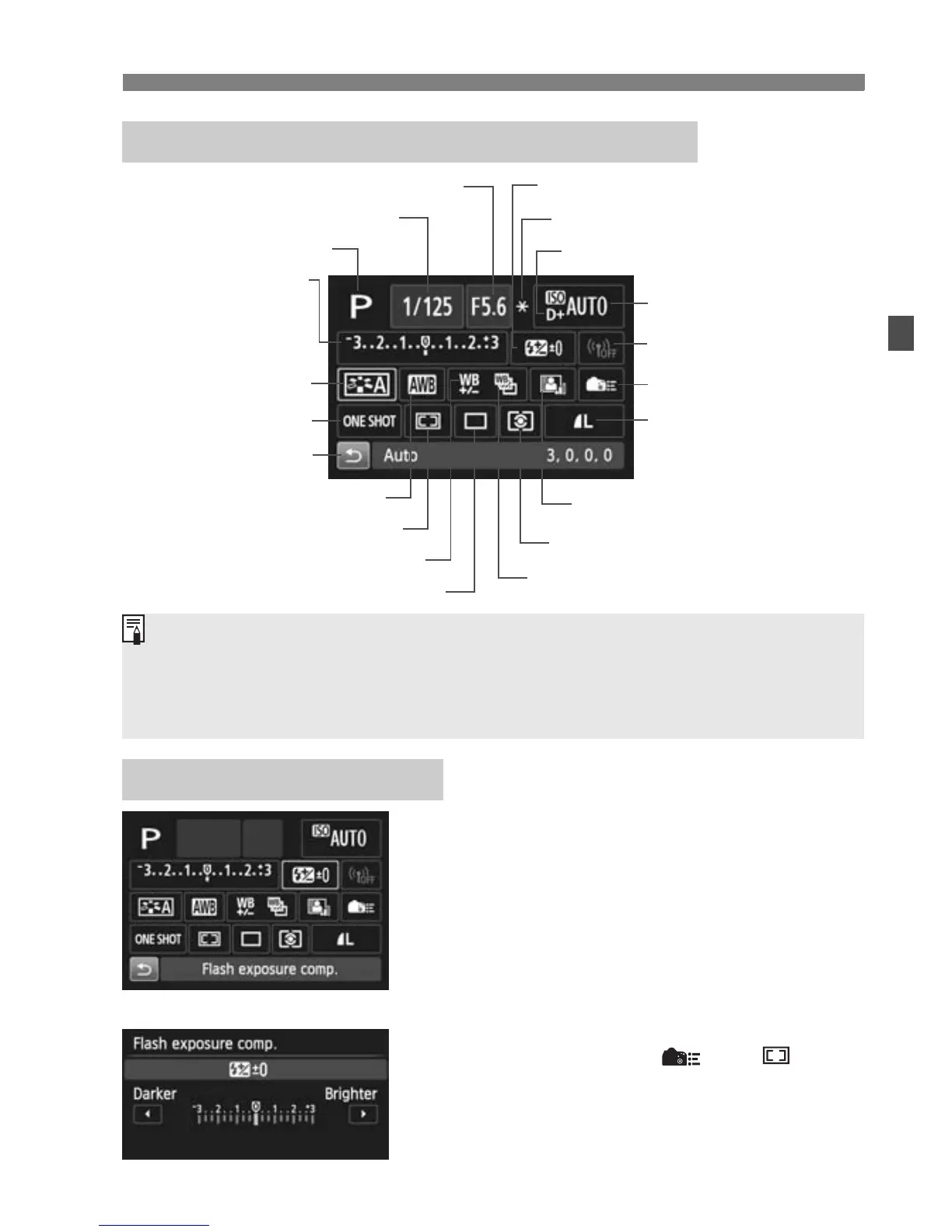
Q Quick Control for Shooting Functions
Select he desired func ion and press <
0
>.
The function’s setting screen will appear.
Turn the <
6
> or <
5
> dial or press the
<
U
> key to change the settings. There are
also some functions hat are set by pressing
the <
B
>, <
B
>, or <
L
> button.
Press <0> to finalize the setting and
return to the Quick Control screen.
When you select < > or < >
(p.91) and press the <
M
> button,
the shooting function settings display
will reappear.
Settable Functions on Quick Control Screen
Function Setting Screen
Shutter speed (p.111)
AF operation (p.88)
White balance correction
Shooting mode
*
1
(p 20)
Highlight tone priority*
2
(p.106)
Auto Lighting Optimizer (p.103)
Metering mode
Picture Style (p.101)
Exposure
compensation/
AEB setting
(p.114/115)
Flash exposure compensation
ISO speed (p.100)
Image-recording quality
(p.98)
Aperture (p.112)
Wi-Fi function*
3
Drive mode (p.95)
Custom Controls
White balance bracketing
AE lock*
2
(p.116)
AF area selection mode (p.92)
White balance (p.102)
Return
*1: This function cannot be set with the Quick Control screen when the
Mode Dial is set to other than <8>.
*2: These functions cannot be set with he Quick Control screen.
*3: Refer to the Wi-Fi Function Instruction Manual.
<0>
Ð



 To Next Page