Q Displaying the Electronic Level
60
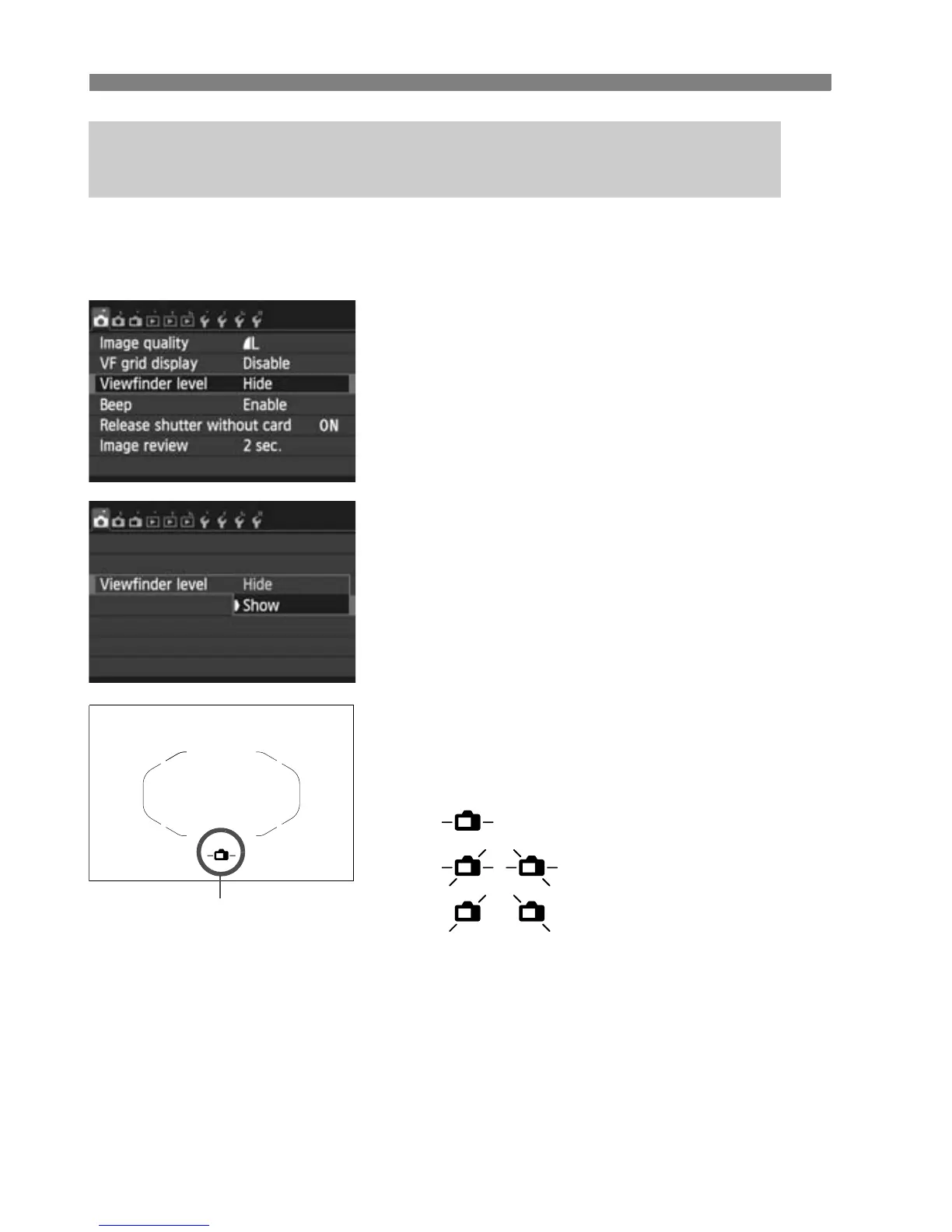
A simple electronic level using a camera icon can be displayed in the
viewfinder at the center bottom. Since this can be displayed while you
shoot, you can correct any tilt during handheld shooting.
1
Select [Viewfinder level].
Under the [z1] tab, select
[Viewfinder level], then press <0 >.
2
Select [Show].
Select [Show], then press <0>.
3
Press the shutter button halfway.
X The electronic level will appear as
shown in the illustration.
This also works with vertical shooting.
3 Displaying the Electronic Level in the Viewfinder
During Shooting
Electronic level
Horizontal
Tilt 1°
Tilt 2° or higher



 To Next Page