20
Quick Overview
E
Note:
• If you are going to use the TV as a monitor while you are shooting, remember to
keep the TV volume turned down as long as the camera’s audio terminals are
connected. If the sound from the TV speakers is picked up by the microphone, an
unpleasant high-pitched squeal, called feedback, may be produced.
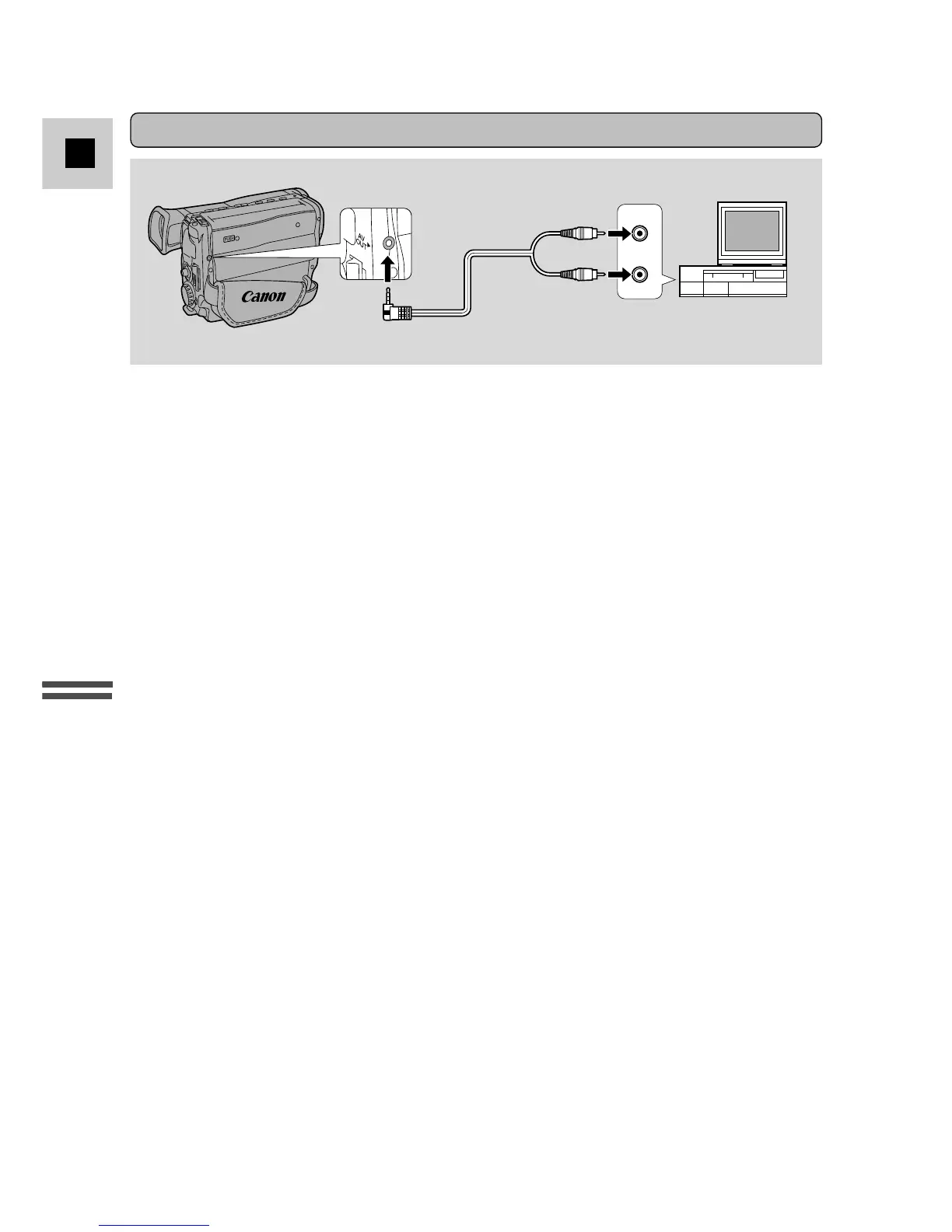
• Connect the camera by using the C-250 AV Cable to connect the AV terminal.
Connect the white plug to the white AUDIO terminal. Connect the yellow plug
to the yellow VIDEO terminal.
• Set the TV/VIDEO selector on the television to VIDEO.
• If you are connecting the camera to a VCR, set the input selector on the VCR to
LINE.
If your TV (or VCR) has audio/video input terminals



 To Next Page