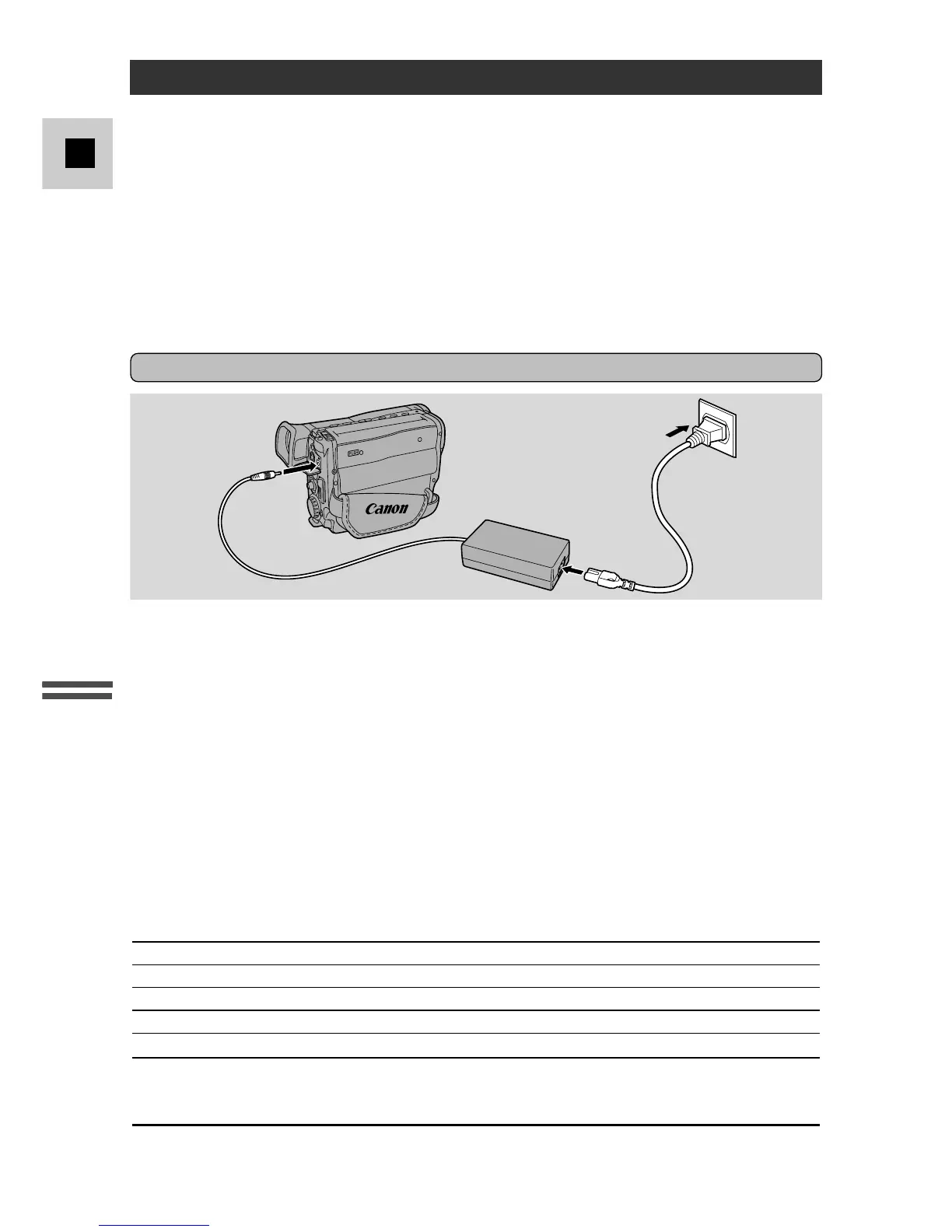
Before operating your camera, you will need to use the power adapter to:
Provide power from an AC outlet
or
Charge a battery pack
Notes:
• The power adapter converts current from a household power socket (100–240 V AC,
50/60 Hz) to the DC current used by your camera.
• If the adapter is used next to a TV, it may cause noise bars to appear on the TV—
move the adapter away from the TV or the aerial cable.
Use the power adapter to provide your camera with instant power from an AC
outlet.
1. Connect the AC cable to the power adapter.
2. Open the terminal cover from its top and connect the power adapter to
the camera’s DC IN terminal.
3. Connect the power adapter to a mains outlet.
4. Remove the power adapter after use.
• Always turn the camera off before connecting/removing the power source.
• For the power adapter, use only Canon CA-550K (or CA-550). Do not use
other equipment.
CA-550K Compact power adapter
Specifications
Power supply 100–240 V AC, 50/60 Hz
Power consumption 20 W
Rated output 8.4 V, 1.5 A DC
Operating temperature range 0°–40°C (32°–104°F)
Dimensions 105 × 30 × 56 mm (4
1
/8 × 1
1
/8 × 2
1
/4 in)
Weight 270 g (9
1
/2 oz)
UK Model: 305 g (10
3
/4 oz)
Australia Model: 290 g (10
1
/4 oz)
Weight and dimensions are approximate. Errors and omissions excepted.
Subject to change without notice.



 To Next Page