48
Advanced
Functions
E
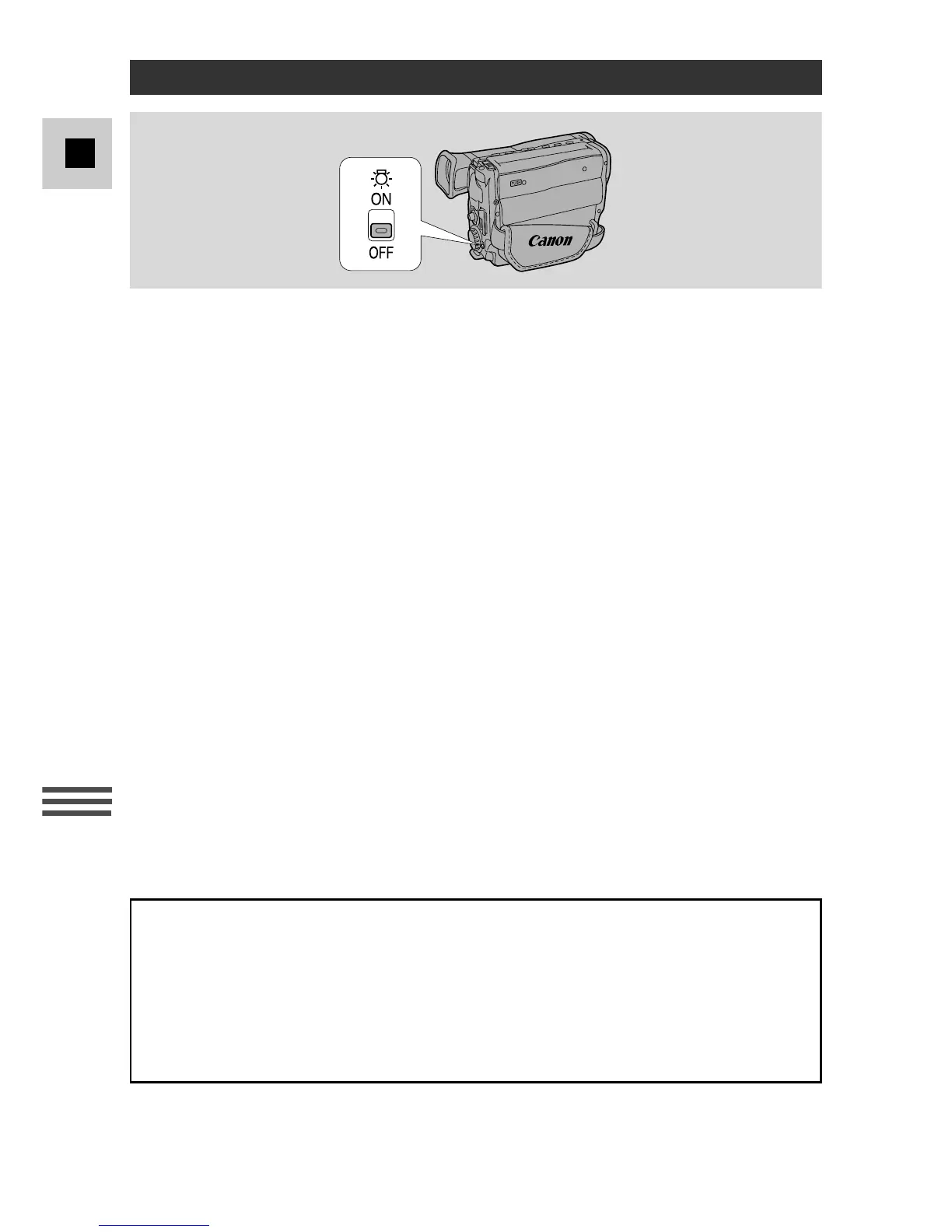
The built-in video light allows you to make clear, colourful recordings of poorly
lit scenes. You can even record in complete darkness.
The recommended distance between the subject and camcorder is about 2 m
(5 feet).
1. Turn the program selector to any of the camera modes except
Spotlight mode.
2. Slide the light switch to the x ON position to turn on the video light.
• The light will only turn on in camera mode.
• When inserting or ejecting a cassette the video light turns off automatically.
3. Make your recording.
4. When you have finished using the light, slide the switch back to the
OFF position.
Notes:
• Continuous recording time is reduced with continued use of the video light.
For longer recordings you may prefer to use a power adapter.
• The light becomes hot during use — keep it away from plastic or flammable
materials, and do not touch it.
• Do not knock the light, especially during use.
• Do not use the wide-converter lens or the tele-converter lens with the video light.
• When the bulb has reached the end of its life, contact your nearest Canon Service
Centre.
Caution:
• Do not touch the bulb protector during and after use of the video light. It and
surrounding areas become hot.
Using the Built-in Video Light (G20Hi)
DANGER
• Not to be handled by children.
• Emits intense heat and light.
• Use with caution to reduce the risk of fire or injury.
• Keep a safe distance between the Video Light and human or material subjects
when using and until cool.
• Turn light off when not in use.



 To Next Page