25
Advanced
Functions
E
Setting Custom Keys
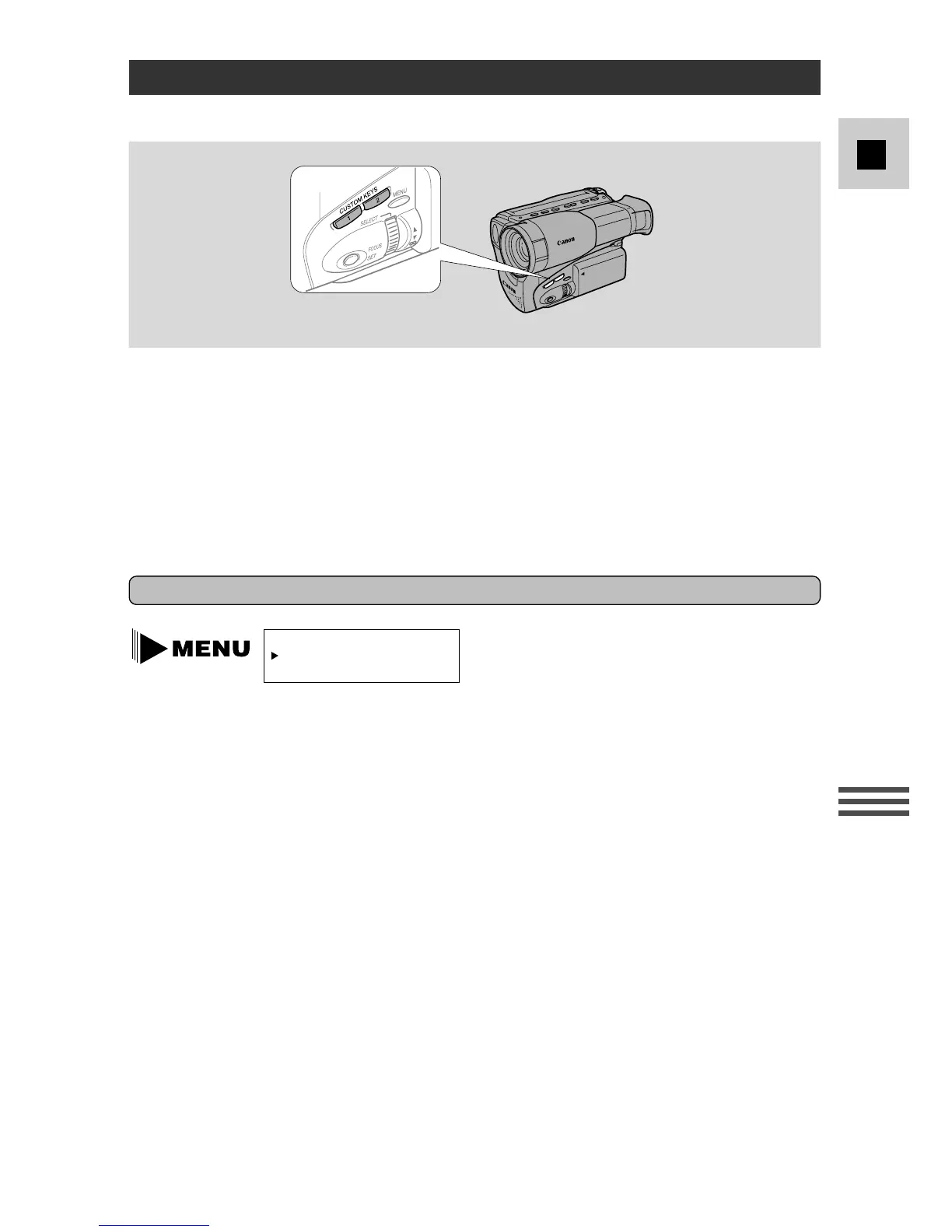
The Custom Keys let you choose the functions you want at your fingertips.
The 2 keys on the left side of the camera body can easily be set to operate a
number of functions. When you buy the camcorder, they should be set as follows:
CUSTOM KEY 1 CUSTOM KEY 2
G2000 D.E.SELECT D.E.ON/OFF
G15Hi/G20Hi D.ZOOM IMAGE STABIL
Select the combination of functions that you are likely to use most often. It is
simple to change the Custom Key settings when necessary.
To set the function of the Custom Keys
1. Turn the program selector to camera mode (a,
w
, b, c, e or f).
2. Open the camera menu to screen 2 and select CUSTOM KEY SET.
3. Turn the SELECT dial to move the cursor down until you reach the
combination of functions of your choice.
CUSTOM KEY 1 CUSTOM KEY 2
D.ZOOM (G15Hi/G20Hi) IMAGE STABIL (G15Hi/G20Hi)
D.E.SELECT D.E.ON/OFF
DATE TITLE
FADE BLC
4. Press the SET (or MENU) button to assign the functions to the
CUSTOM KEYS.
• The camera displays these functions in the viewfinder for about 3 seconds
and then returns to the camera menu.
5. Press the MENU button to close the menu.
(see p. 23)



 To Next Page