36
Advanced
Functions
E
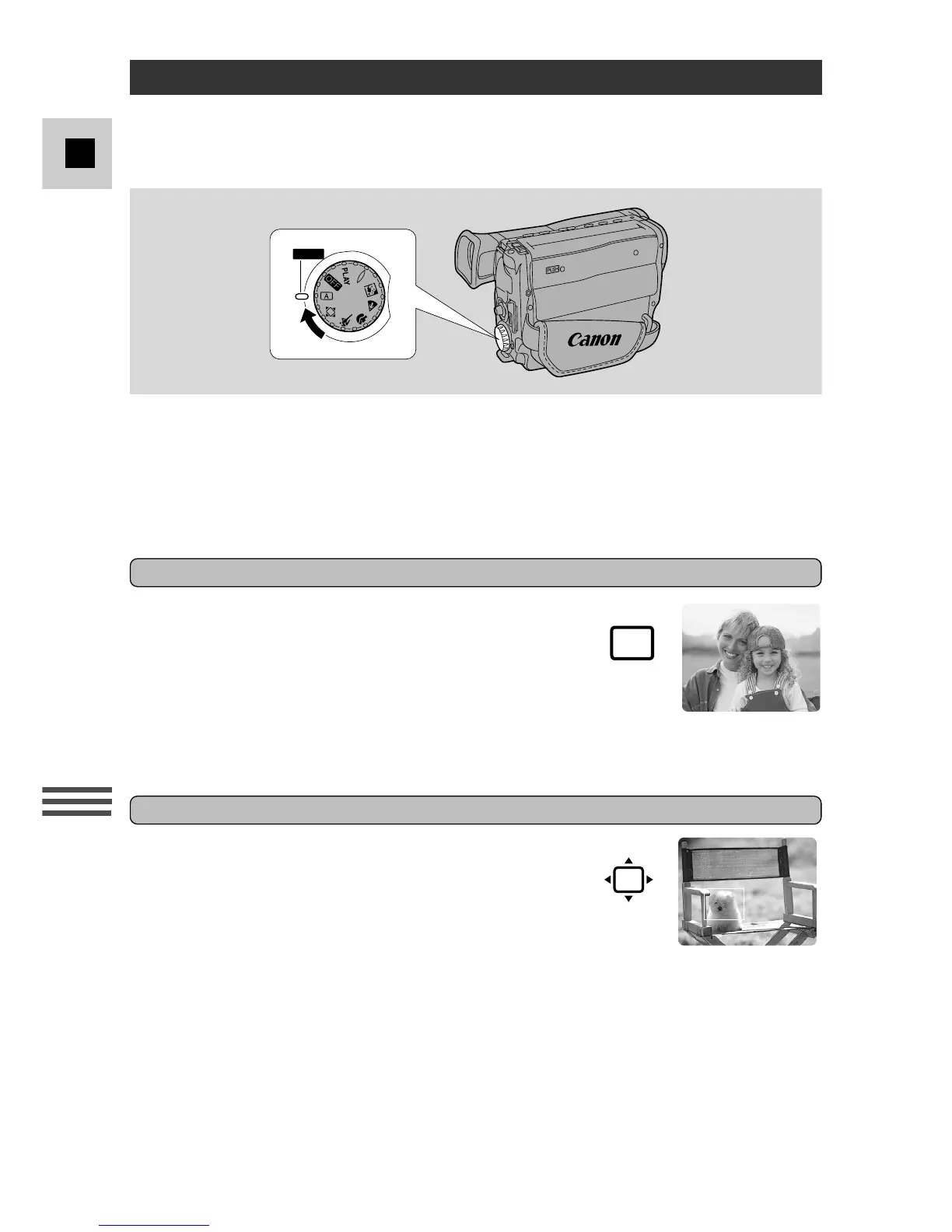
Using the Various Recording Programs
Rotate the program selector to choose the appropriate program before you start
recording.
• For normal shooting conditions, you can leave the recording program selector
set to
a
(Auto Recording). For different recording conditions, rotate the
selector to the appropriate program before you start recording. Reset to
a
for
standard conditions.
The simplest way to use the camera is with the
program selector set to the
a
position. The camera
will adjust the focus and exposure automatically,
leaving you free to point and shoot.
• You can operate the following functions in this
mode:
• Backlight compensation (BLC)
• Exposure lock
Auto Recording
The camera provides you with a choice of 6 recording programs. They use
different combinations of camera settings in order to adjust the exposure and other
functions to match the recording situation.
FlexiZone Recording
In normal recording conditions, set the program
selector to the
w
position. This is the same as the Auto
Recording program, except that you can now use the
FlexiZone AF (p. 38) and FlexiZone AE (p. 41).
• You can operate the following functions in this mode:
• Backlight compensation (BLC)
• While in the optical zoom range, the FlexiZone
frame moves freely around the screen. However,
once you enter digital zoom range, the frame
becomes locked in the centre of the viewfinder.
• The FlexiZone frame blinks twice when you
zoom out from digital to optical zoom range. You
are now free to move the frame.



 To Next Page