61
Additional
Information
E
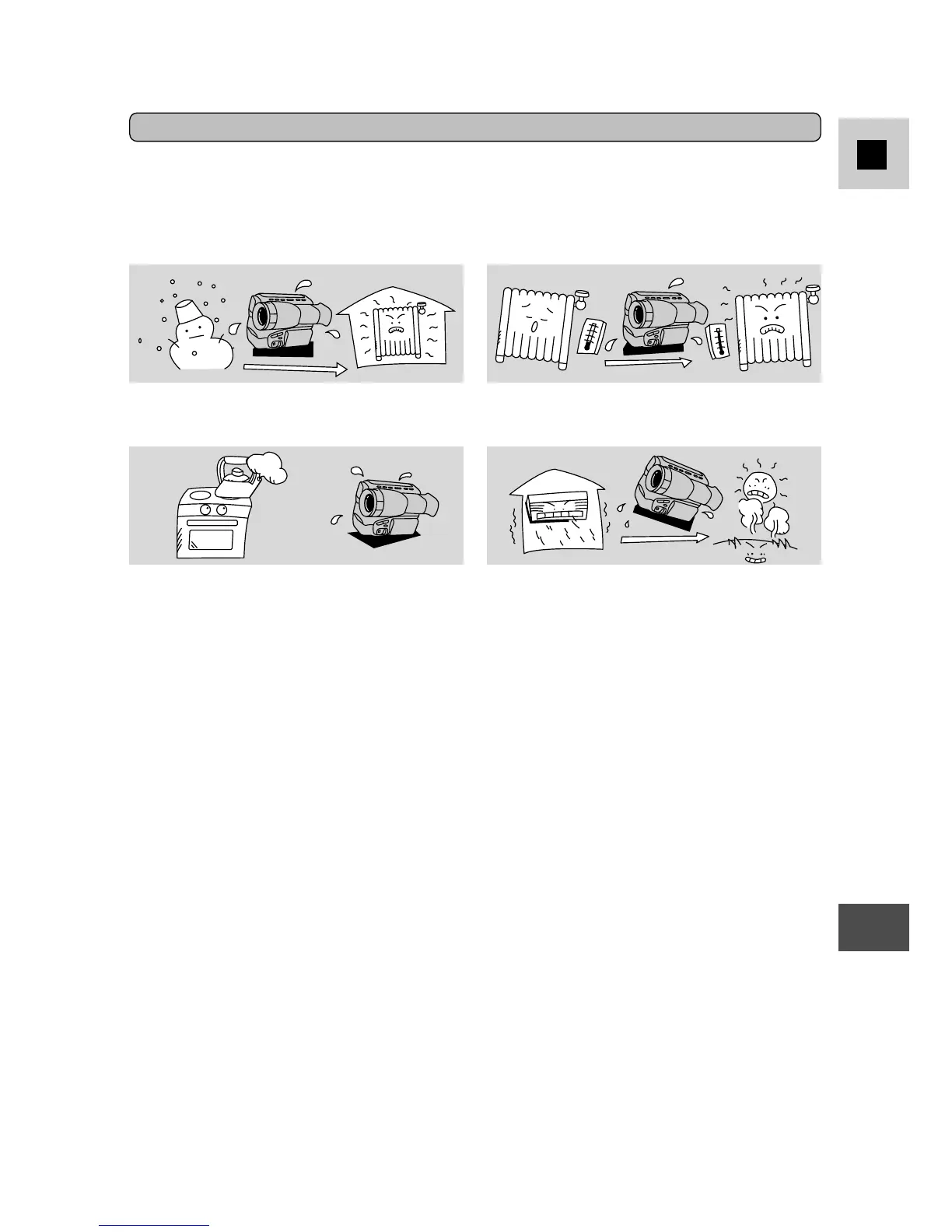
When you take the camera from a cold
place to a warm room
When a cold room is heated rapidly
When the camera is left in a humid
room
When the camera is taken from an air-
conditioned room to a warm, humid
place
Protecting the camera from condensation
• Before you take the camera to a warm or humid place where condensation is
likely to be a problem, unload the cassette and put the camera in a plastic bag.
Wait until the camera reaches room temperature before you take it out of the
bag.
• When the surface of the video camera is wet, do not use it. Wait for hours until
the whole video camera dries.
What happens when condensation is detected
• The
h
mark flashes in the viewfinder. If there is a cassette in the camera, it
stops automatically and EJECT flashes in the viewfinder.
• The camera may not detect the condensation immediately — the condensation
warning may not start flashing for 10 to 15 minutes.
• You cannot load a cassette when condensation is detected.
What you should do
• Remove the cassette, leave the cassette compartment open, and turn the camera
off.
• Leave it in a dry place until the condensation evaporates. After the condensation
warning stops flashing, wait at least another hour before trying to use the
camera.
Condensation may become a problem:
Condensation
Condensation may form on the camera when it is moved from a cold place to a
warm place. Using the camera while condensation is present can damage both the
tape and the camera.



 To Next Page