Sending Documents
4-22
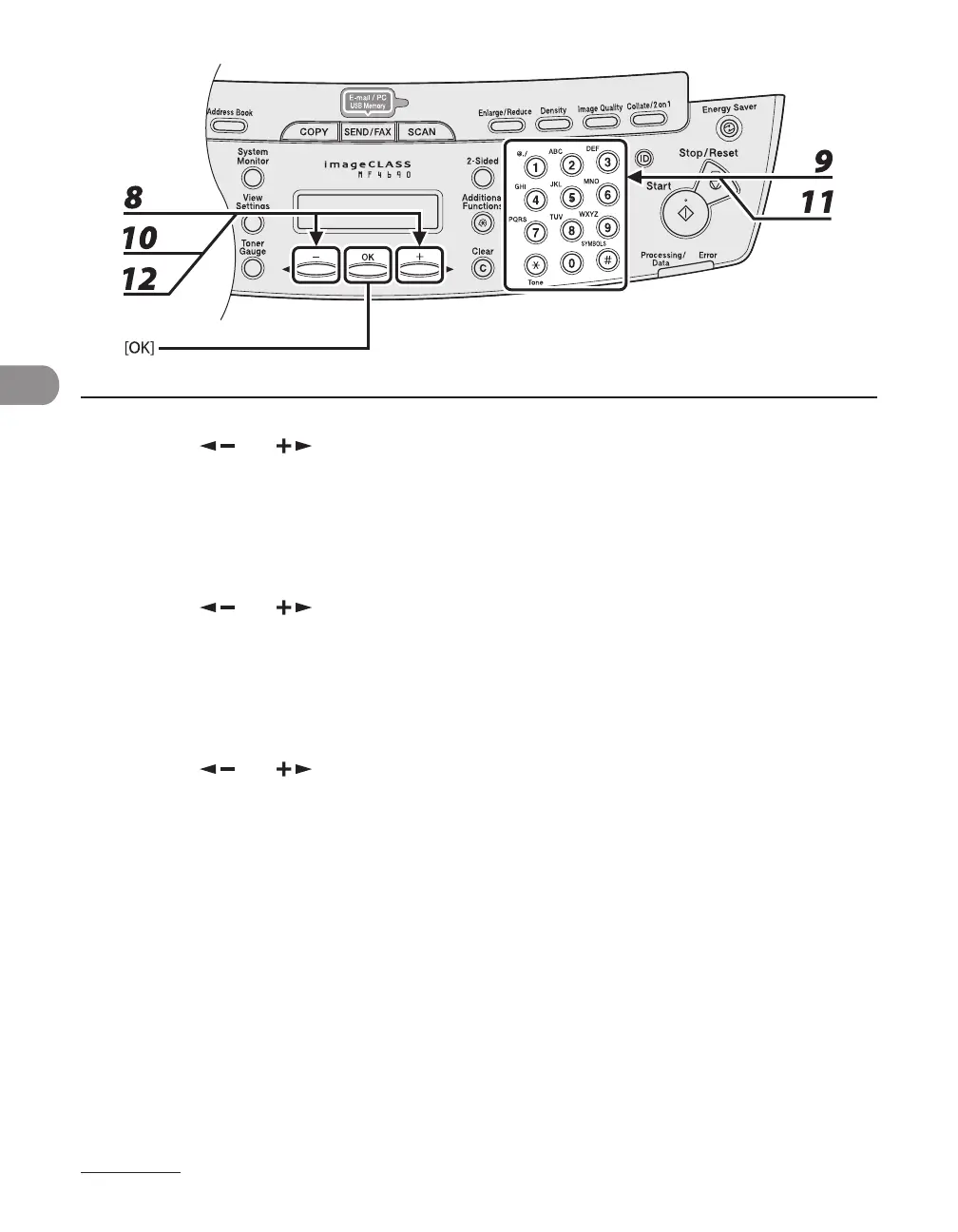
8 Press [ ] or [ ] to select <NAME>, then press [OK].
9 Use the numeric keys to enter the destination’s name (up to 16 characters), then
press [OK].
10 Press [ ] or [ ] to select <FILE PATH>, then press [OK].
11 Use the numeric keys to specify the folder to which the job is to be sent (up to
120 characters), then press [OK].
12 Press [ ] or [ ] to select <LOGIN NAME>, then press [OK].










 To Next Page