WebCAM user manual -11-
Chapter 4: Using Utility to Setup IP & Update Firmware
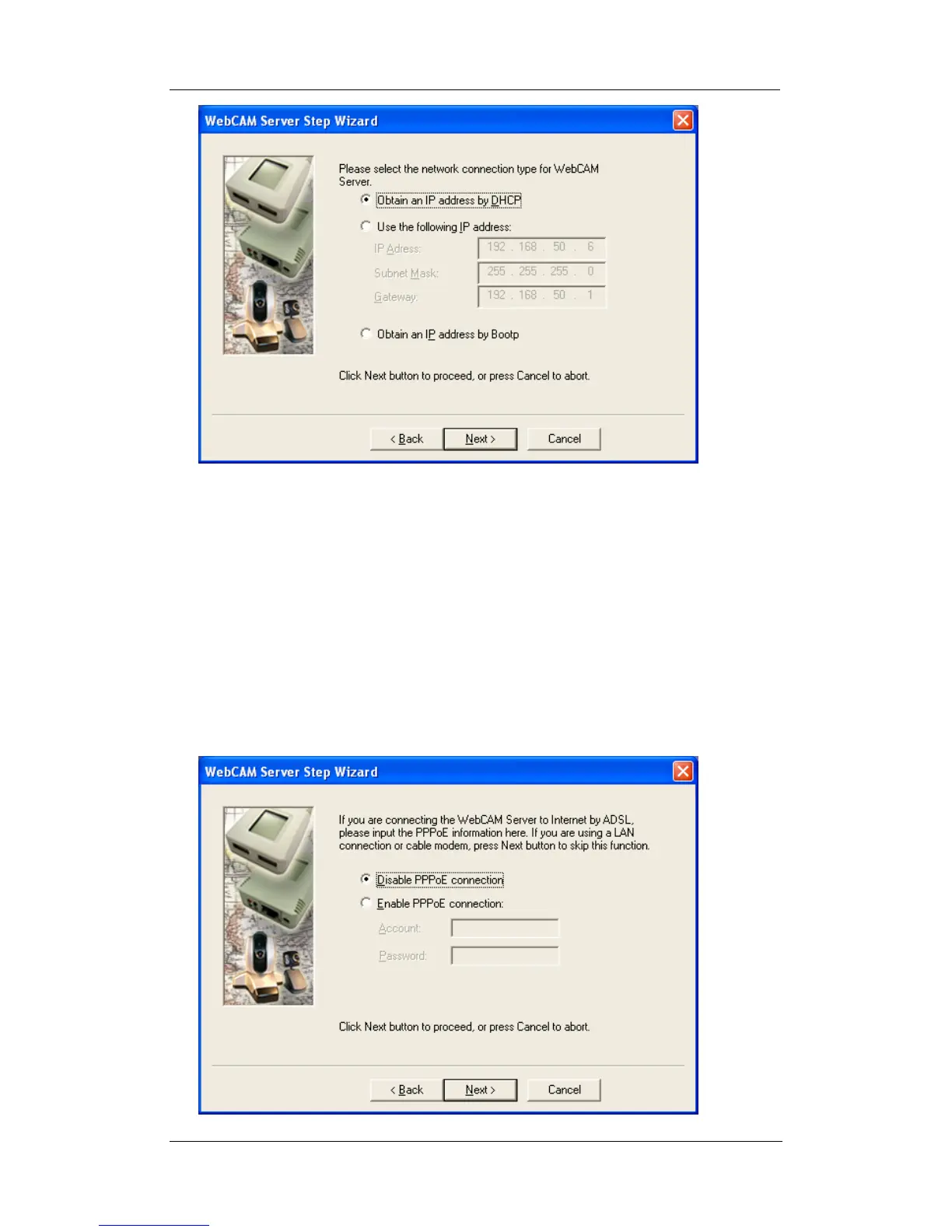
“Obtain an IP address by DHCP”
Choose this if you do not know your basic Network Configurations
“Use the following IP Address”
Enter an appropriate internal IP Address, Subnet Mask and Gateway for
WebCAM (Refer to Appendix C for an explanation of IP Addresses)
“Obtain an IP address by Bootp”
Allow WebCAM to obtain an IP address using Bootp protocol.
6. Click “Next >” to proceed to xDSL/Cable modem setup.
This section has to be configured to allow WebCAM to access the Internet
through an xDSL service provider.















 To Next Page