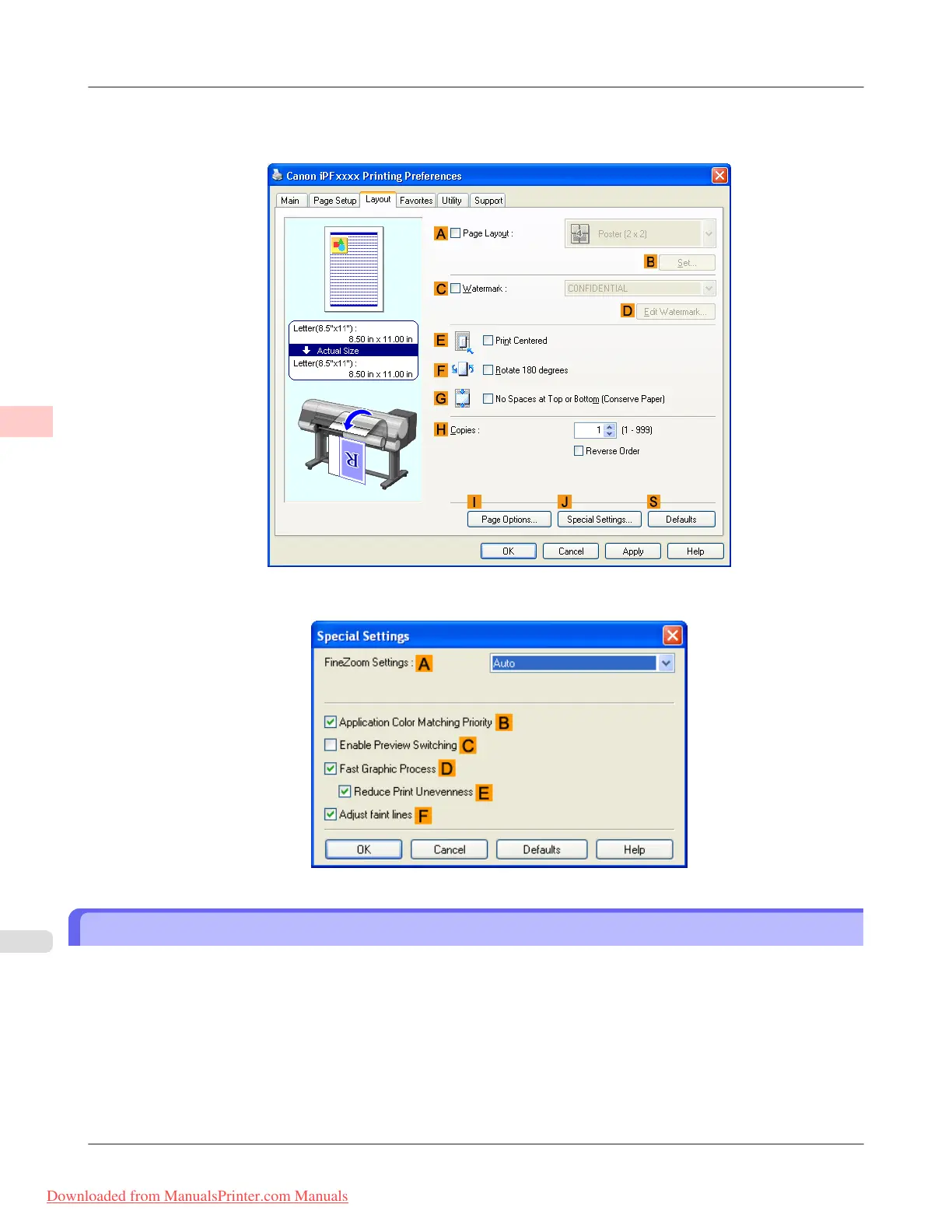
If printing is unsuccessful, you may be able to print after completing the following setting.
1. On the Layout sheet, click J Special Settings to display the Special Settings dialog box.
2. In the FineZoom Settings list, click Yes.
Printing Vertical or Horizontal Banners (Large-Format Printing; Mac OS X)
This topic describes how to print a banner about five times as long as the roll width based on the following example.
• Document: An original designed for a horizontal banner
• Page Size: Non-standard (100×500 mm [3.9×19.7 in])
• Paper: Roll
• Paper type: Plain Paper
• Roll paper width: 16 inches (406.4 mm)
Enhanced Printing Options
>
Printing banners or at other non-standard sizes
>
Printing Vertical or Horizontal Banners (Large-Format Printing; Mac OS X) iPF815
3
120
Downloaded from ManualsPrinter.com Manuals














 To Next Page