5. Press ▲ or ▼ to select On, and then press the OK button.
The function to reduce cutting dust is now activated.
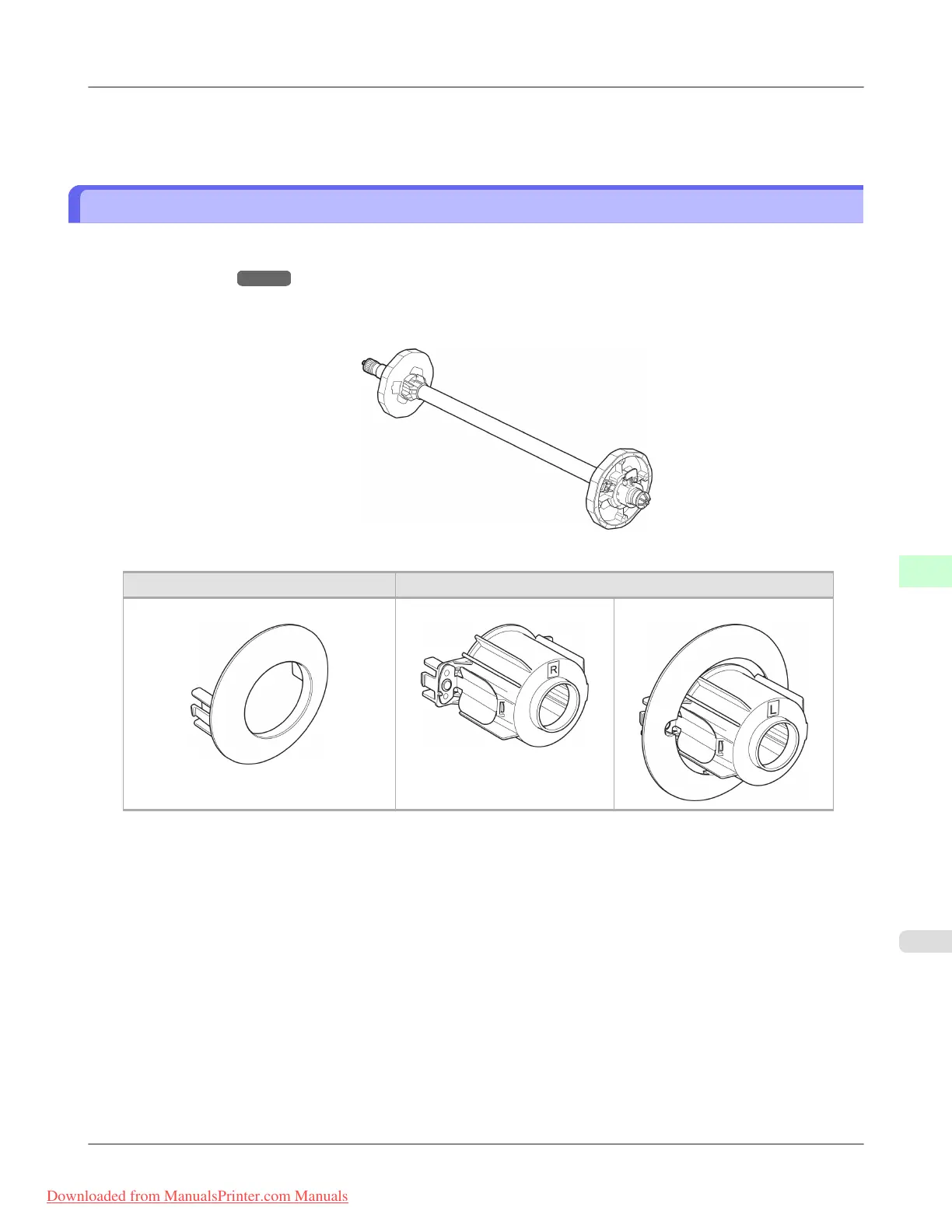
Roll Holder Set
Load a roll on the roll holder and then load the holder in the printer. The Roll Holder in the Roll Holder Set RH2-44 is for
use with both 2-inch and 3-inch paper cores. Use the correct attachment for the particular paper core. (See "Attaching the
Roll Holder to Rolls.") →P.623
• Roll Holder Set RH2-44
• Roll Holder (for 2- and 3-inch paper cores)
• Attachments
Using the 2-Inch Paper Core Attachment Using the 3-Inch Paper Core Attachment
2-Inch Paper Core Attachment 3-Inch Paper Core Attachment #1 3-Inch Paper Core Attachment #2
Handling Paper
>
Handling rolls
>
iPF815 Roll Holder Set
7
649
Downloaded from ManualsPrinter.com Manuals














 To Next Page