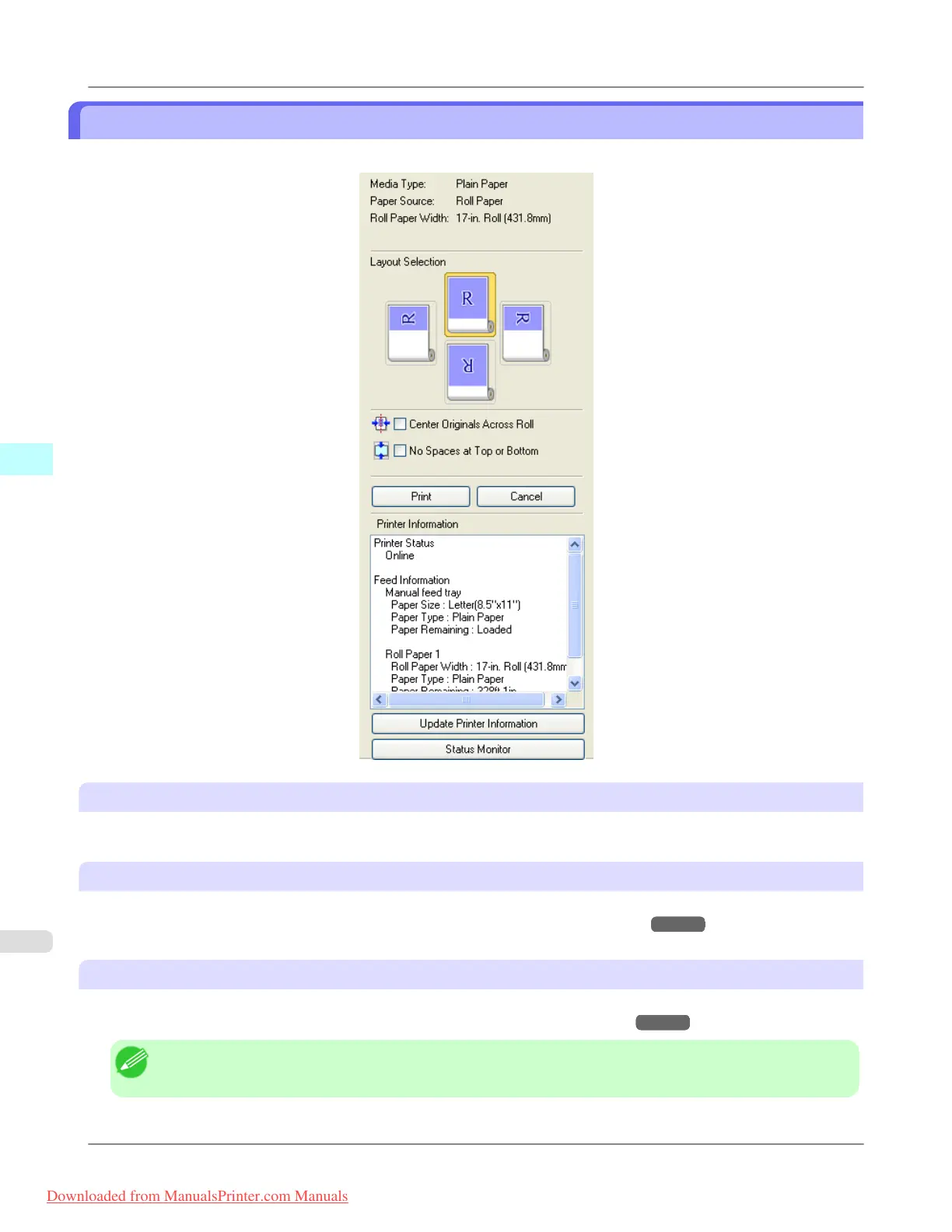
Dialog Area
You can select the layout and print on the center.
Media Type / Paper Source
/Paper Size
You can confirm the information that is set.
Layout Selection
You can print which conserves paper by selecting the layout.
For more information about Layout Selection, see "Printing with Selecting the Layout."
→P.252
Center Originals Across Roll
You can print on the center of the media loaded in the printer.
For more information about Center Originals Across Roll, see "Print on the Center." →P.254
Note
• Available only if rolls are selected in Paper Source.
Windows Software
>
Preview
>
Dialog Area iPF815
4
248
Downloaded from ManualsPrinter.com Manuals














 To Next Page