Procedures for Installing
Start the installer in the new version of Media Configuration Tool, and follow procedures below to install the Media Config-
uration Tool.
Important
• The
Media Configuration Tool is normally installed when you install the printer driver from the User Soft-
ware CD-ROM, and media information is registered at this time.
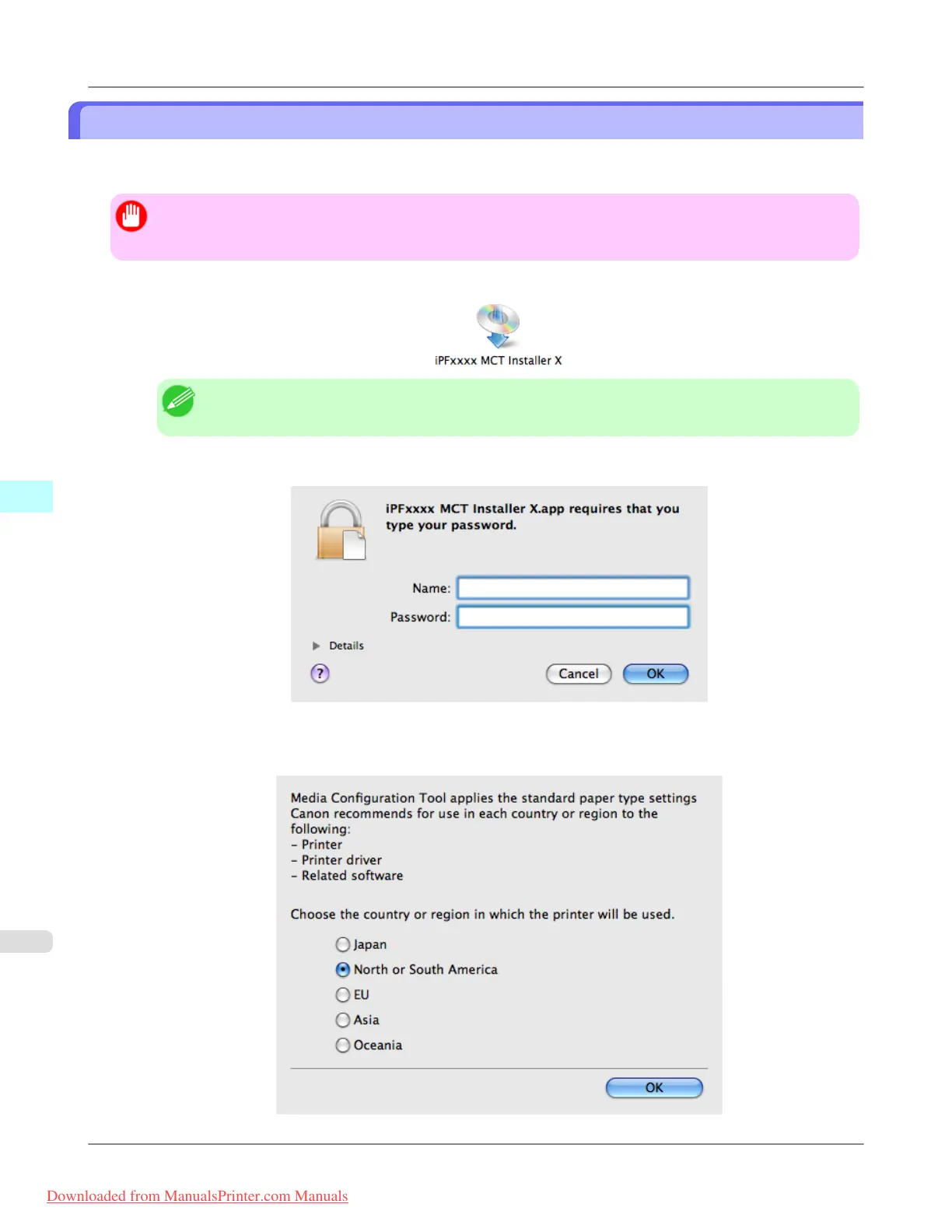
1. Double click the MCT Installer iPFxxxx for X icon to start the Media Configuration Tool installer.
Note
• The iPFxxxx in the icon will be the printer name in use.
2. Input the administrator name and password, and click the OK button.
3. The next screen presents selections for the country or area where the printer is used.
Select a country or territory then click the OK button.
Mac OS X Software
>
Media Configuration Tool
>
Procedures for Installing iPF815
5
540
Downloaded from ManualsPrinter.com Manuals














 To Next Page