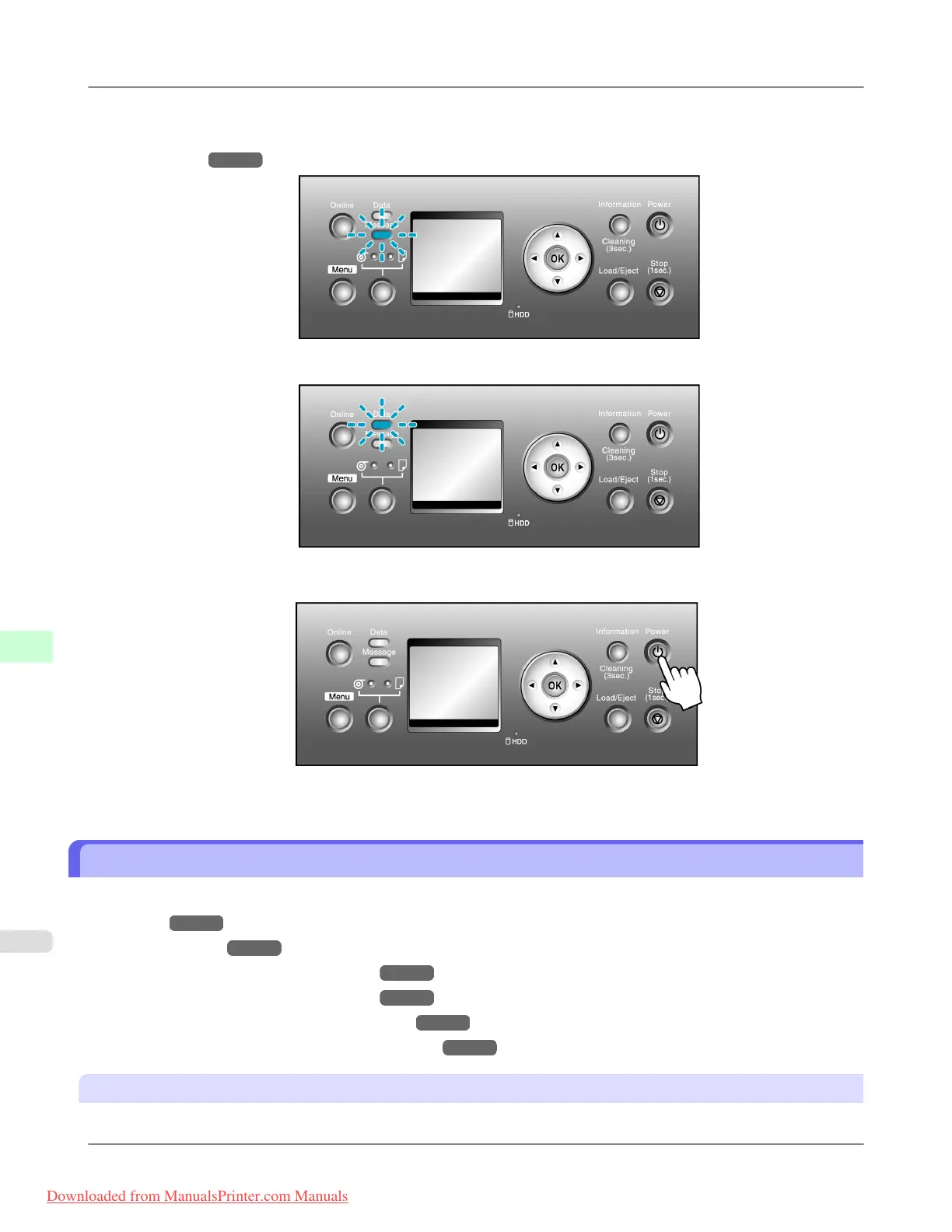
1. Make sure no print jobs are in progress.
If
the Message lamp is flashing, check the message on the Display Screen and take action as necessary.(See "Error
Messages
→P.891 .")
If the Data lamp is flashing, the printer is receiving a print job. Turn off the printer only after printing is finished.
2. Hold down the Power button for more than a second.
After "Shut Down.. Please Wait.." is shown on the Display Screen, the printer shuts off.
Printer Modes
Printer modes
are classified as follows and described in this topic.
• Modes
→P.696
• Mode transition →P.698
• Online, and state of the Control Panel →P.699
• Offline, and state of the Control Panel →P.699
• Menu mode, and state of the Control Panel →P.701
• Submenu mode, and state of the Control Panel →P.701
Modes
The printer has five modes as follows:
Printer Parts
>
Control Panel
>
Printer Modes iPF815
9
696
Downloaded from ManualsPrinter.com Manuals




 To Next Page