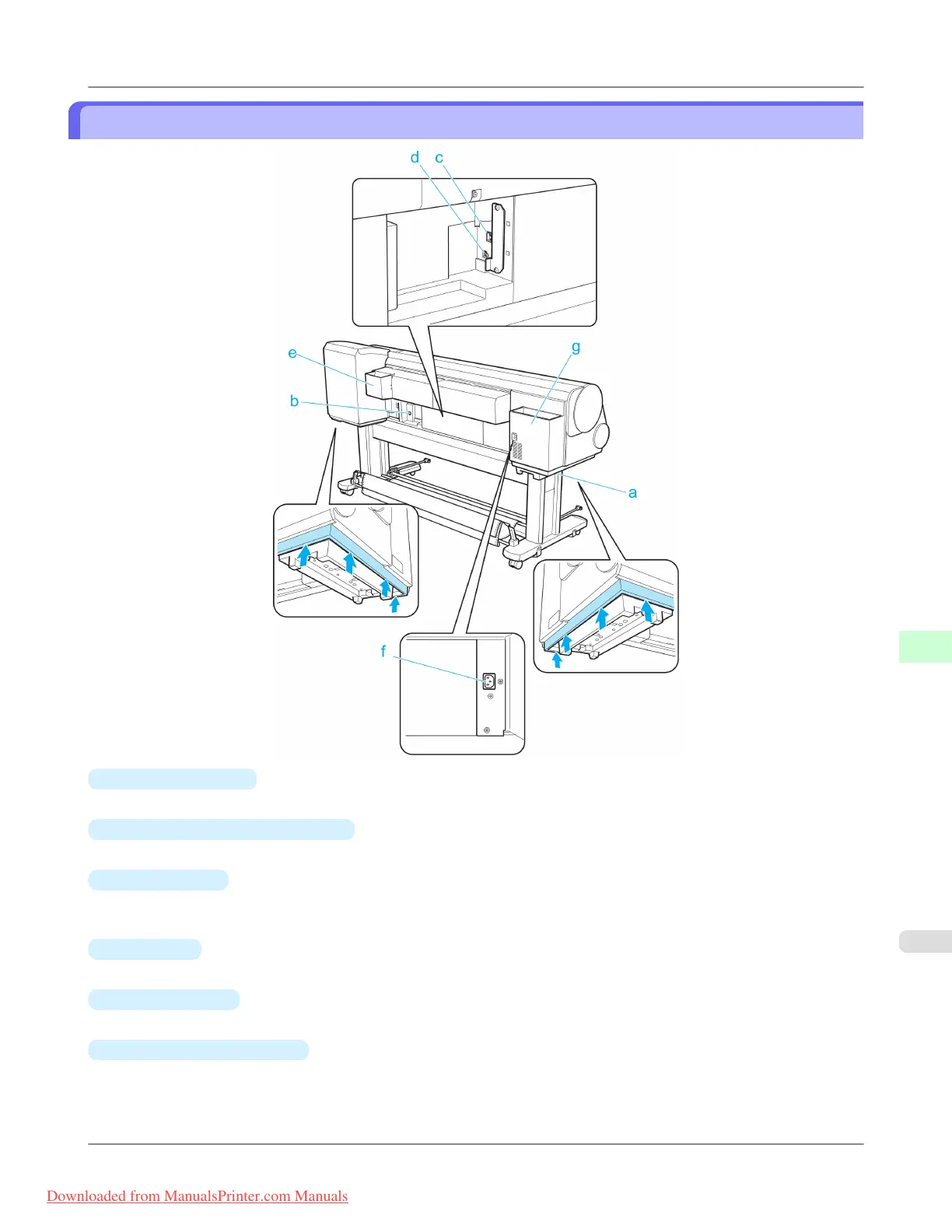
Back
a.
Carrying Handles
When carrying the printer, have six people hold it by these handles under both sides.
b.
Media Take-up Unit Power Inlet
Connect the power cord of the optional Media Take-up Unit here.
c.
Ethernet Port
Connect an Ethernet cable to this port. The lamp is lit if the Ethernet cable is connected correctly and communication is
possible between the computer and printer.
d.
USB Port
Connect a USB cable to this port. The printer is compatible with Hi-Speed USB connections.
e.
Manual Pocket
Store printer manuals in this pocket.
f.
Power Supply Connector
Connect the power cord to this connector.
Printer Parts
>
Printer parts
>
iPF815 Back
9
687
Downloaded from ManualsPrinter.com Manuals














 To Next Page