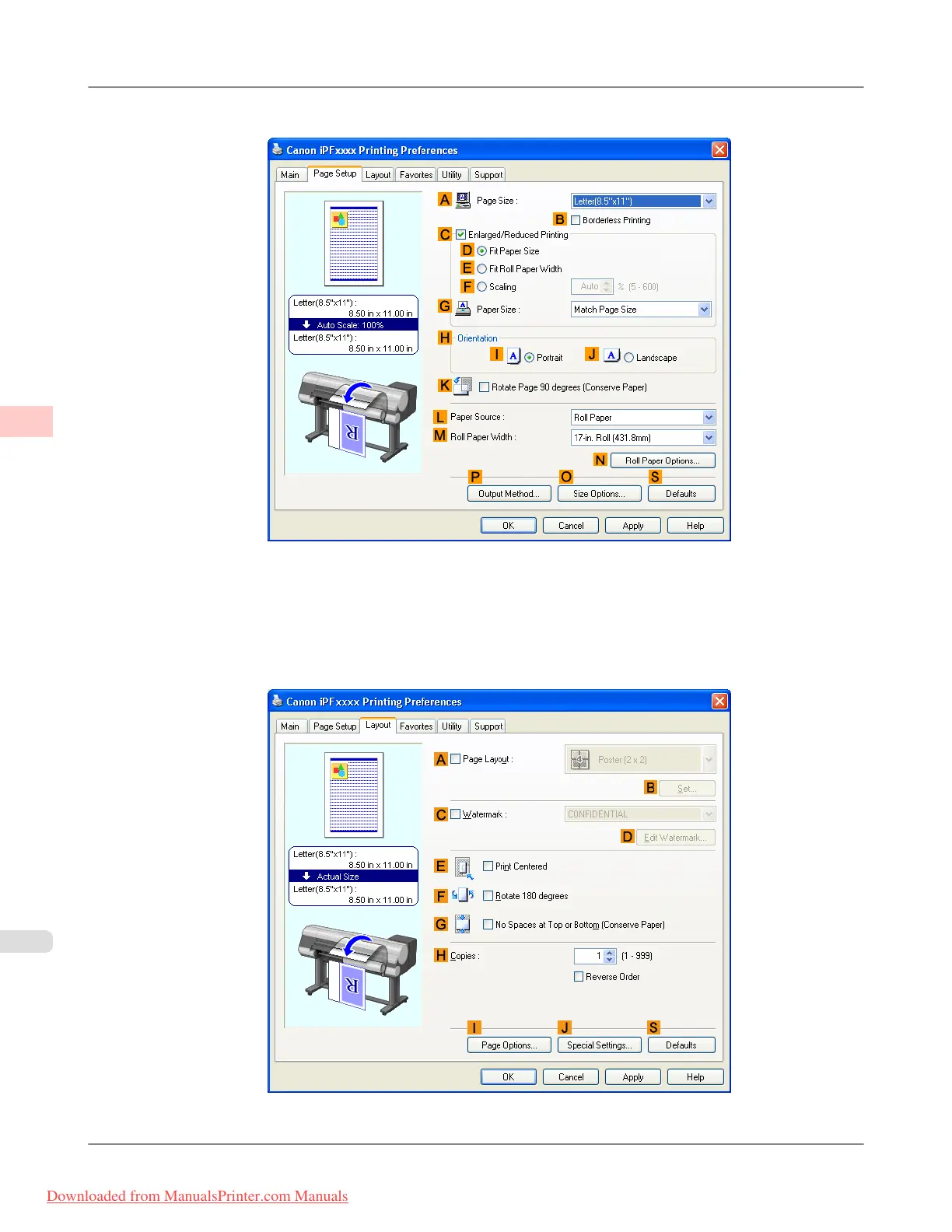
6. Click the Page Setup tab to display the Page Setup sheet.
7. In A Page Size, click the size of the original as specified in the application. In this case, click ISO A2.
8. Click Cut Sheet in the L Paper Source list.
9. Click the Layout tab to display the Layout sheet.
Enhanced Printing Options
>
Tiling and multiple pages per sheet
>
Printing Large Posters (Windows) iPF815
3
152
Downloaded from ManualsPrinter.com Manuals














 To Next Page