For Microsoft Office 2007
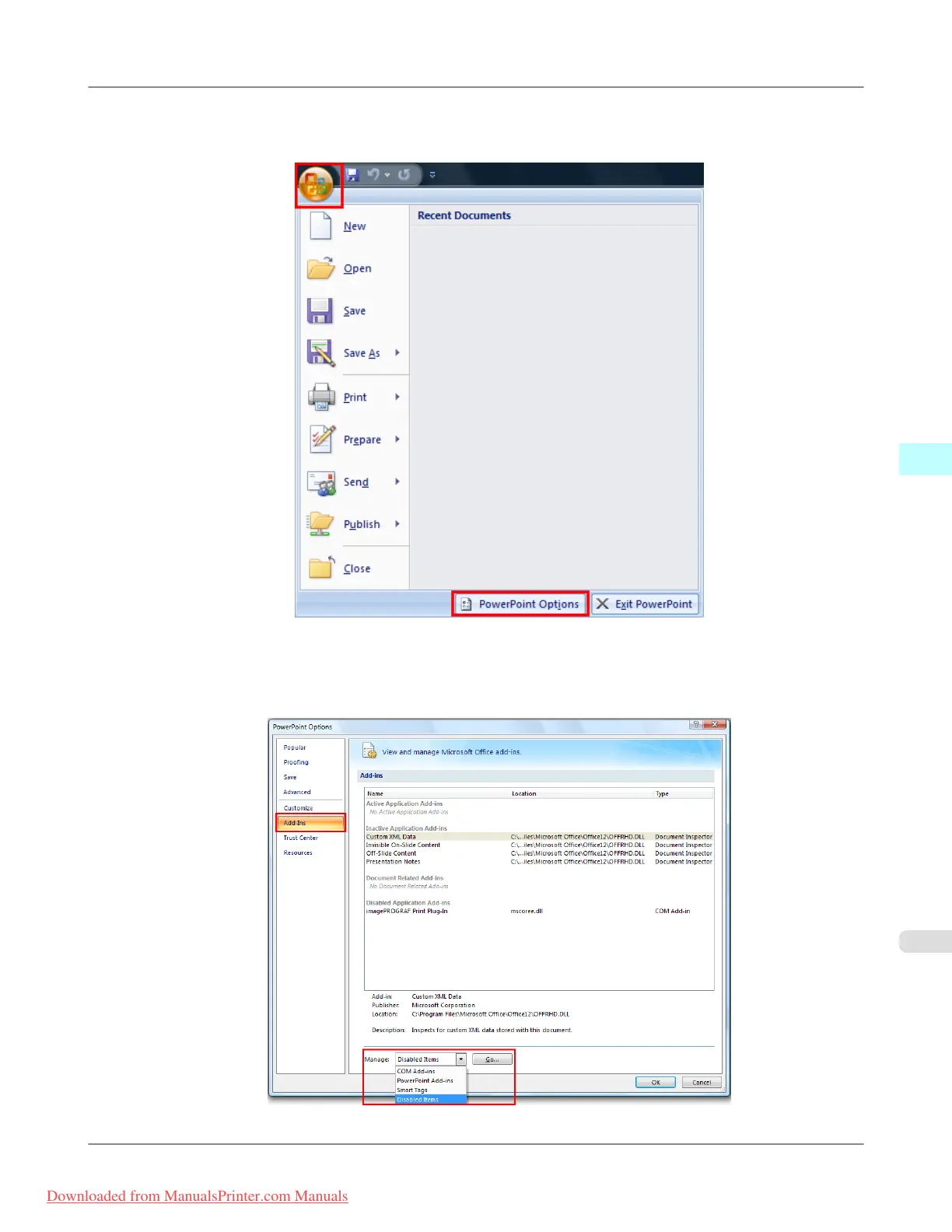
1. Click the Office button and then click the <application name> options button.
2. From the list on the left side of the <application name> options dialog box, select Add-ins.
3. Select Disabled Items in the Manage combo box and click the Go button.
Windows Software
>
Print Plug-In for Office
>
iPF815 When Print Plug-In for Office is not displayed
4
309
Downloaded from ManualsPrinter.com Manuals














 To Next Page