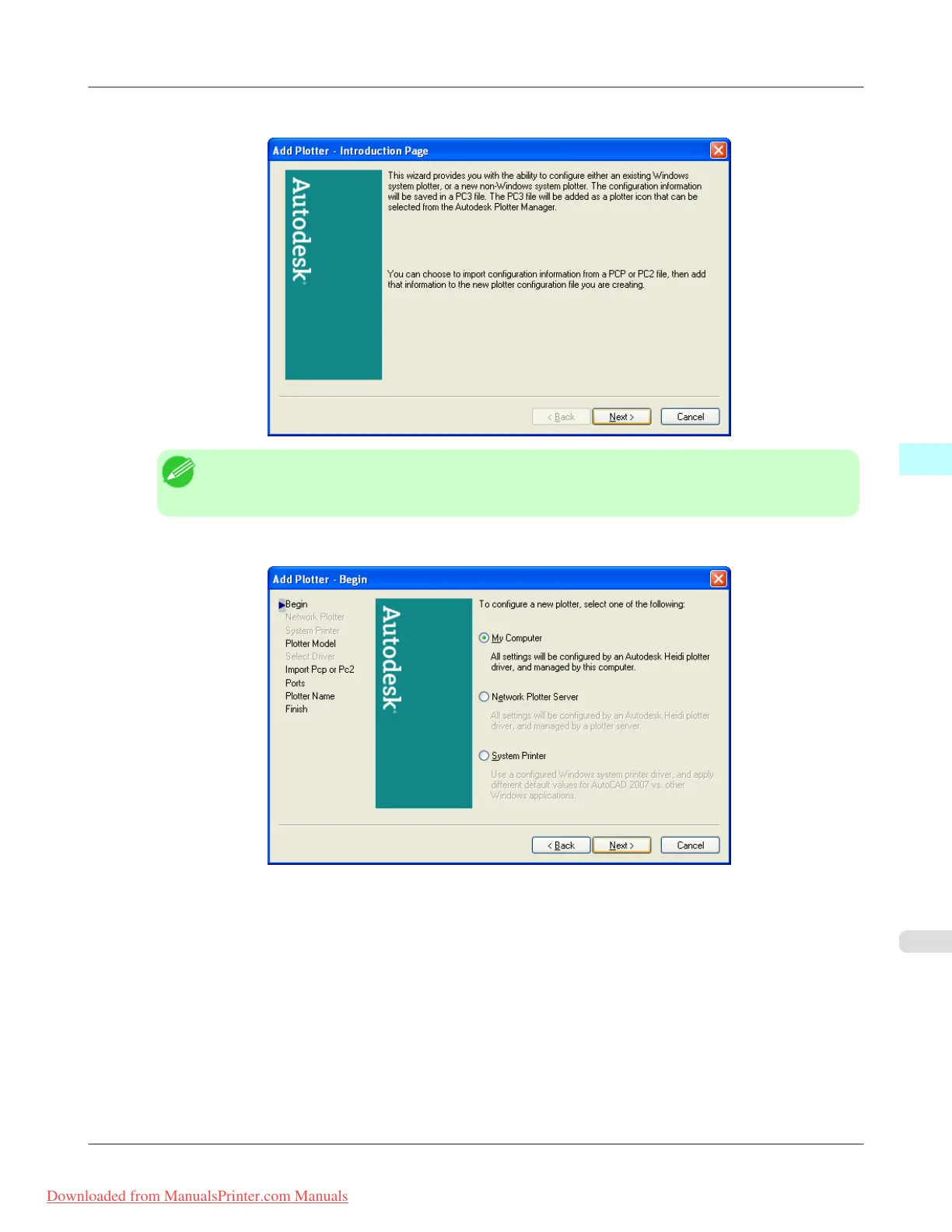
8. The Add Plotter - Introduction Page screen opens. Check the displayed screen and then click the Nextbutton.
Note
• To
open the Add-A-Plotter Wizard you can also click Start > Control Panel > Autodesk Plotter
Manager > and then double-click the Plotter Wizard icon in the Plotters window.
9. Add Plotter - Begin screen opens. Select My Computer then click the Next button.
Windows Software
>
HDI Driver
>
iPF815 Installing with the Canon Installer
4
359
Downloaded from ManualsPrinter.com Manuals














 To Next Page