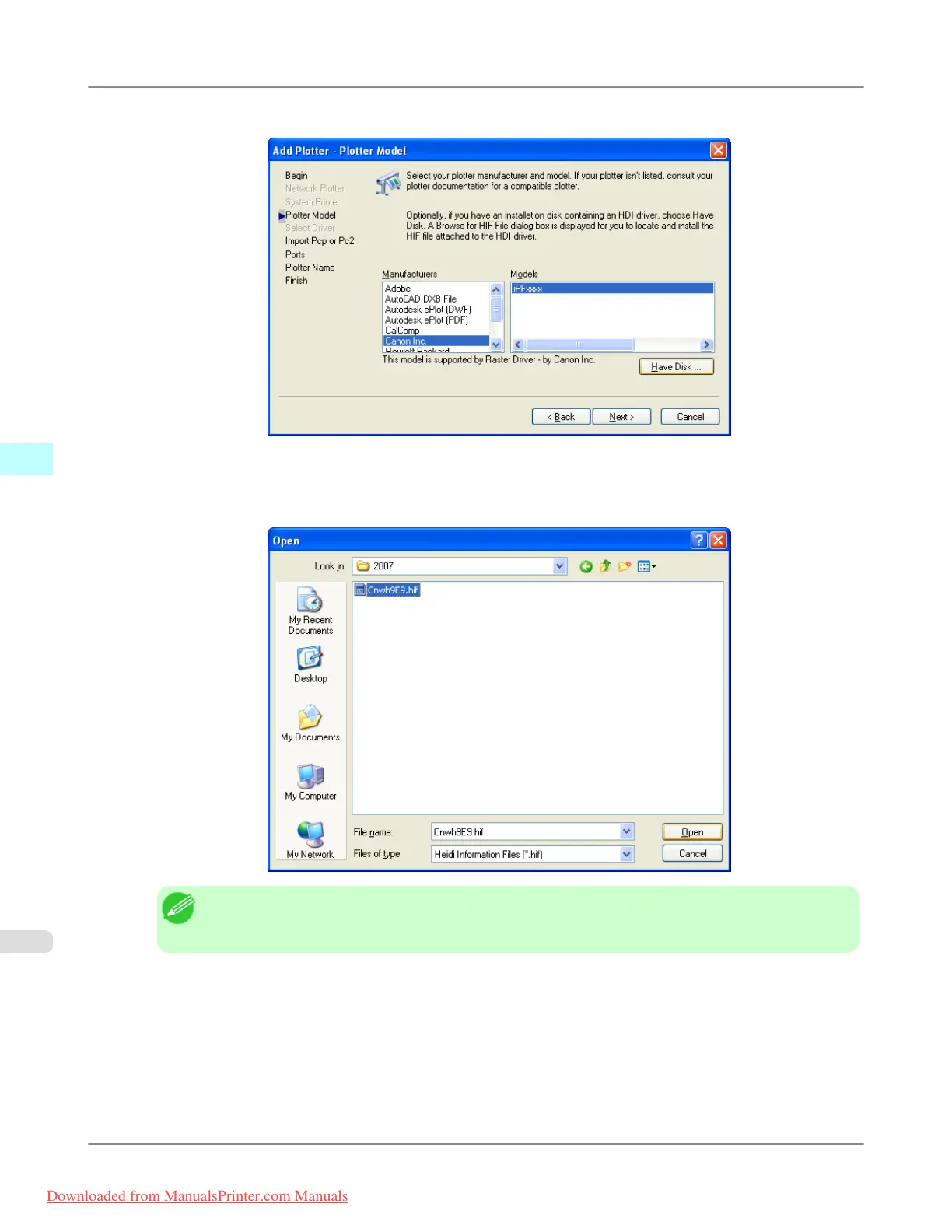
5. On the Add Plotter - Plotter Model screen, click the Have Disk button.
6. The Open
dialog box opens. From the Look in box, select the CD-ROM drive, and then browse to the folder that
holds the hif file.
Select the hif file then click the Open button.
Note
• The hif format file is contained in the following folder.
\HDI Driver\English\2007 (AutoCAD Version 2007)
Windows Software
>
HDI Driver
>
Installing with the Add-A-Plotter Wizard iPF815
4
364
Downloaded from ManualsPrinter.com Manuals














 To Next Page