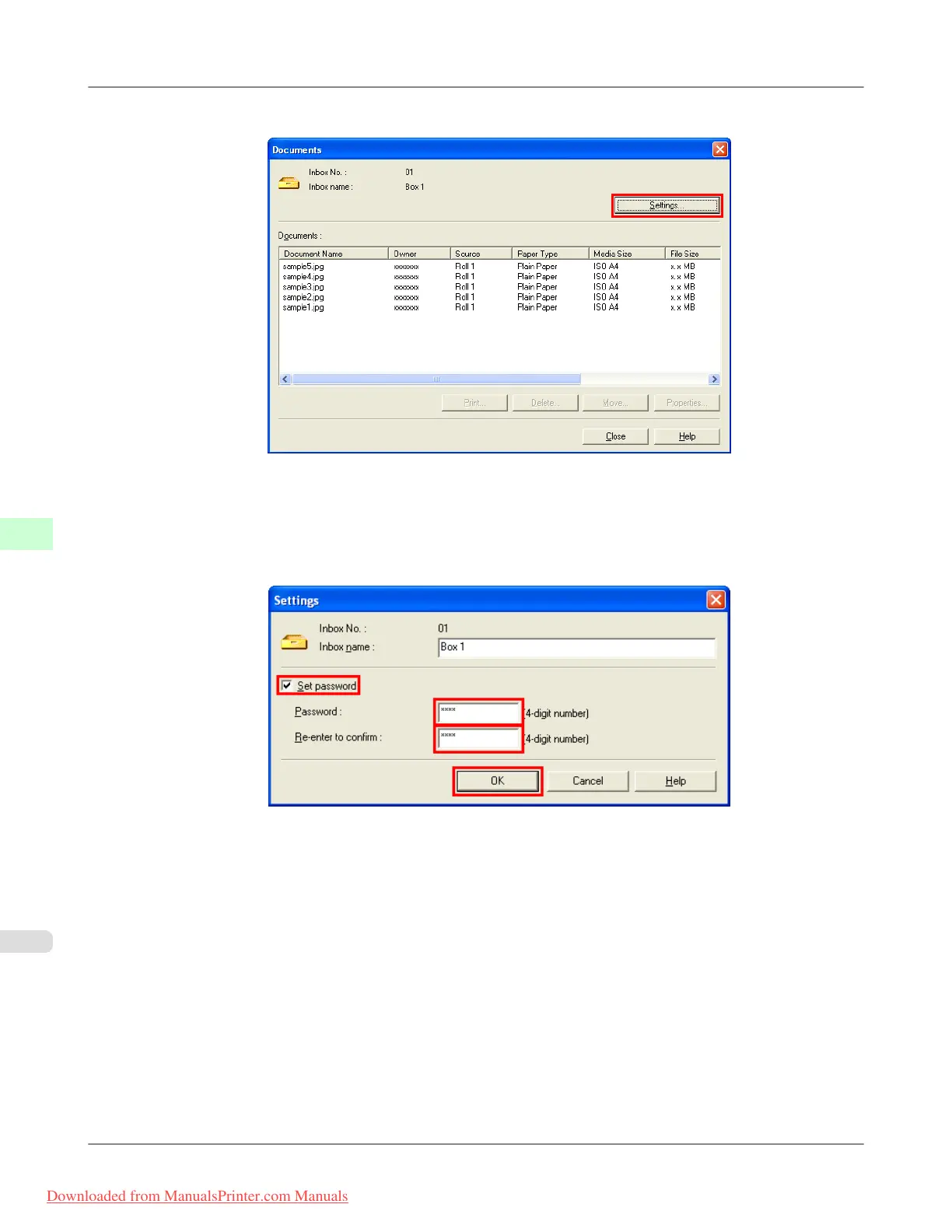
2. In the Documents dialog box, click Settings.
3. In the Settings dialog box, specify the password and click OK.
•
Set password : Select the check box.
• Password : Enter the password. (This field is limited to four digits in the range 0001–9999.)
• Re-enter to confirm : Re-enter the password to confirm it.
For details, refer to the imagePROGRAF Status Monitor help file.
Print Jobs
>
Advanced Print Job Operations
>
Setting Passwords for Personal Boxes iPF815
6
594
Downloaded from ManualsPrinter.com Manuals














 To Next Page