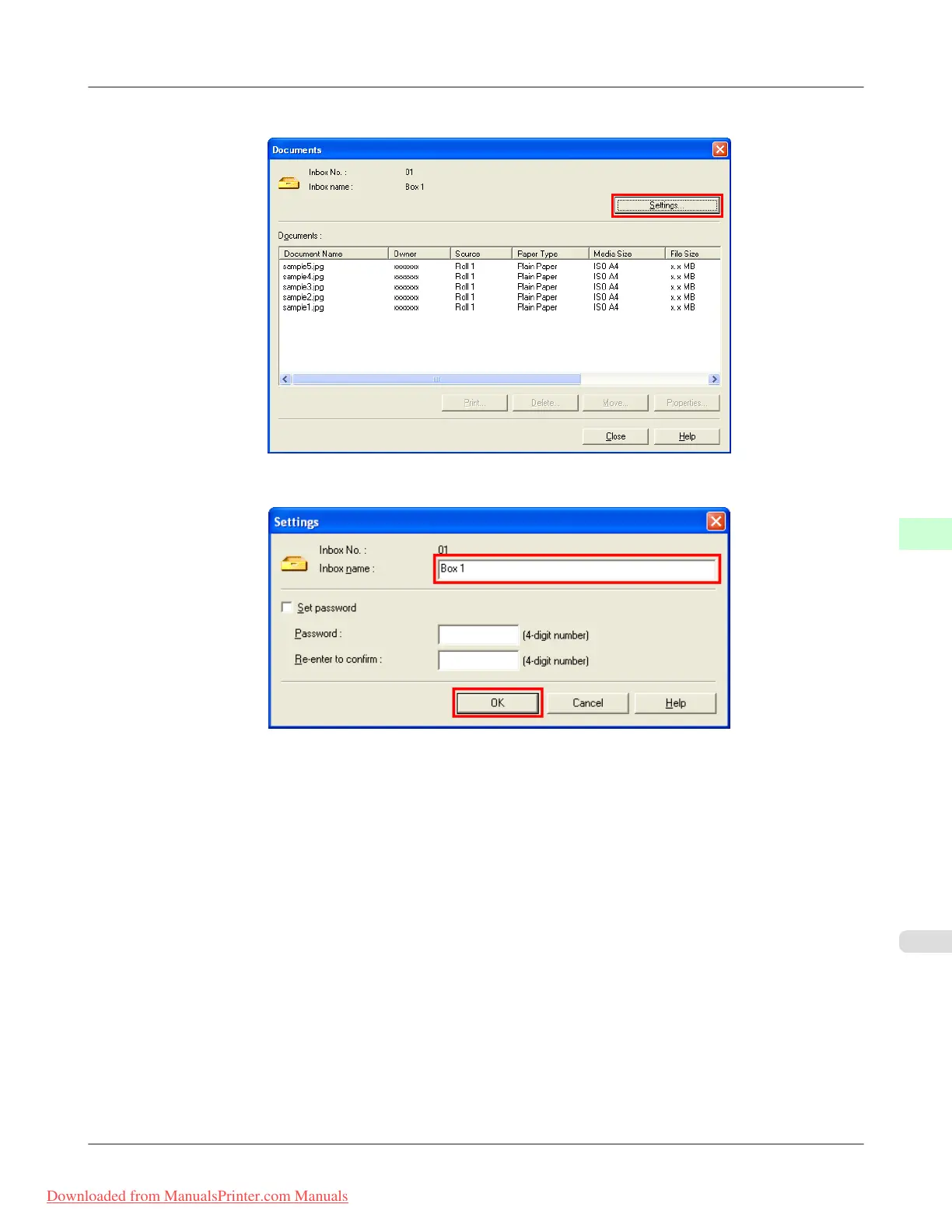
2. In the Documents dialog box, click Settings.
3. In the Settings dialog box, enter the personal box name and click OK.
For details, refer to the imagePROGRAF Status Monitor help file.
Print Jobs
>
Advanced Print Job Operations
>
iPF815 Naming Personal Boxes
6
599
Downloaded from ManualsPrinter.com Manuals














 To Next Page