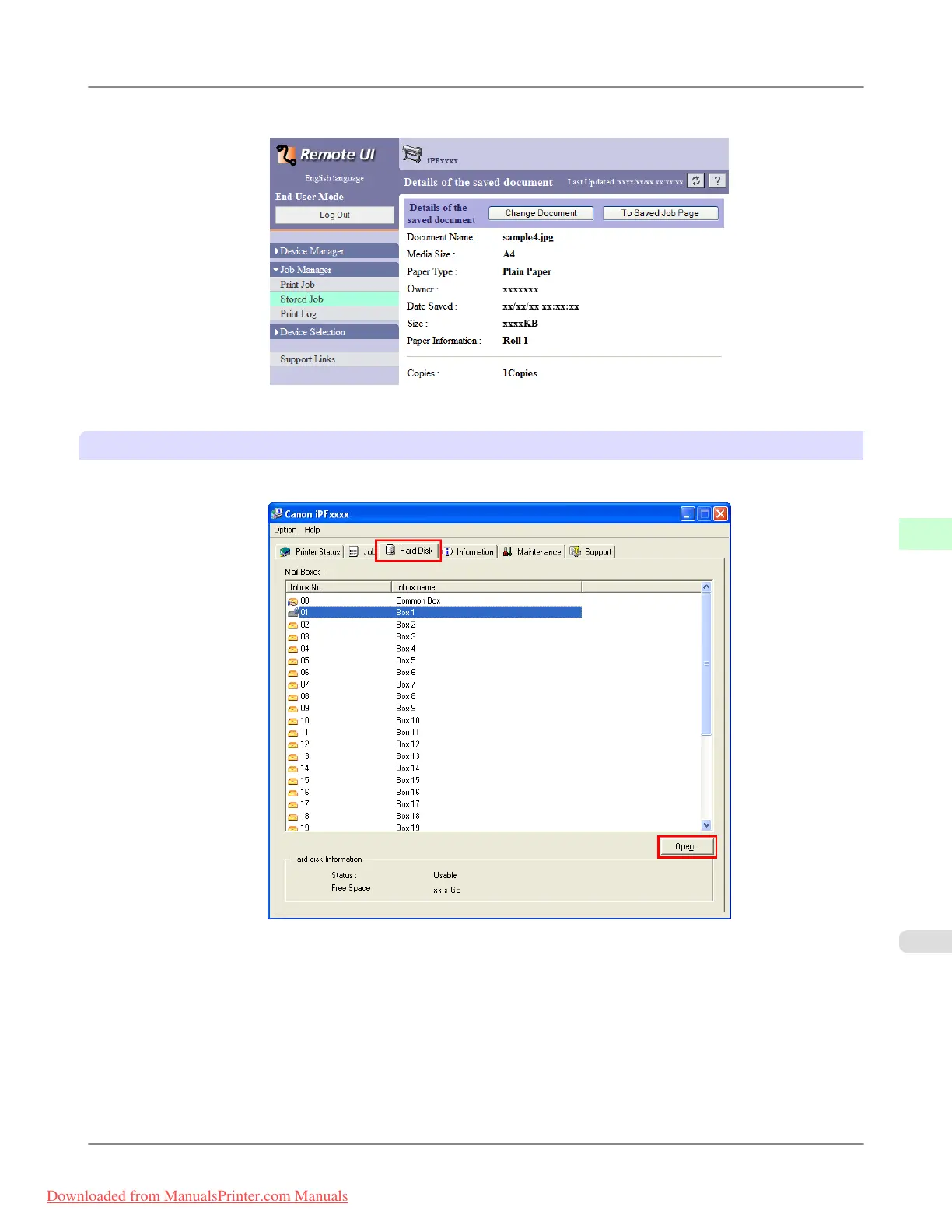
The Details of the saved document page is displayed.
For details, refer to the RemoteUI help.
Using imagePROGRAF Status Monitor (Windows)
1. On the Hard Disk sheet, select a mail box in the list and click Open.
Print Jobs
>
Advanced Print Job Operations
>
iPF815 Displaying Details of Saved Jobs
6
607
Downloaded from ManualsPrinter.com Manuals














 To Next Page