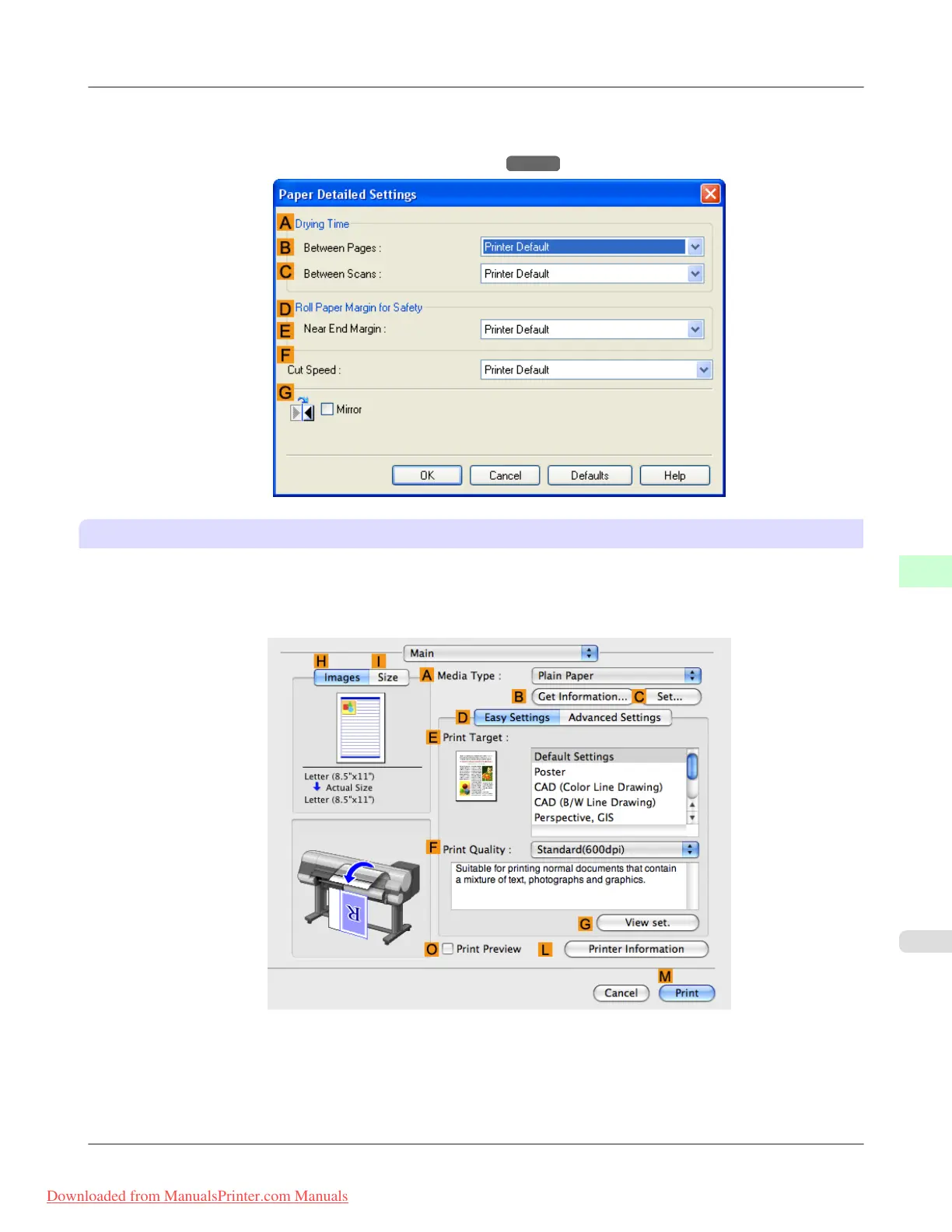
3. In
the Paper Detailed Settings dialog box displayed next, select the desired settings values in B Between Pages
and C Between Scans in A Drying Time, and then click OK.
(See "Paper Detailed Settings Dialog Box (Windows).")
→P.219
Mac OS X
1. Choose Print in the application menu.
2. Select the Main pane and click C Settings in A Media Type.
Handling Paper
>
Handling rolls
>
iPF815 Specifying the Ink Drying Time for Rolls
7
641
Downloaded from ManualsPrinter.com Manuals














 To Next Page