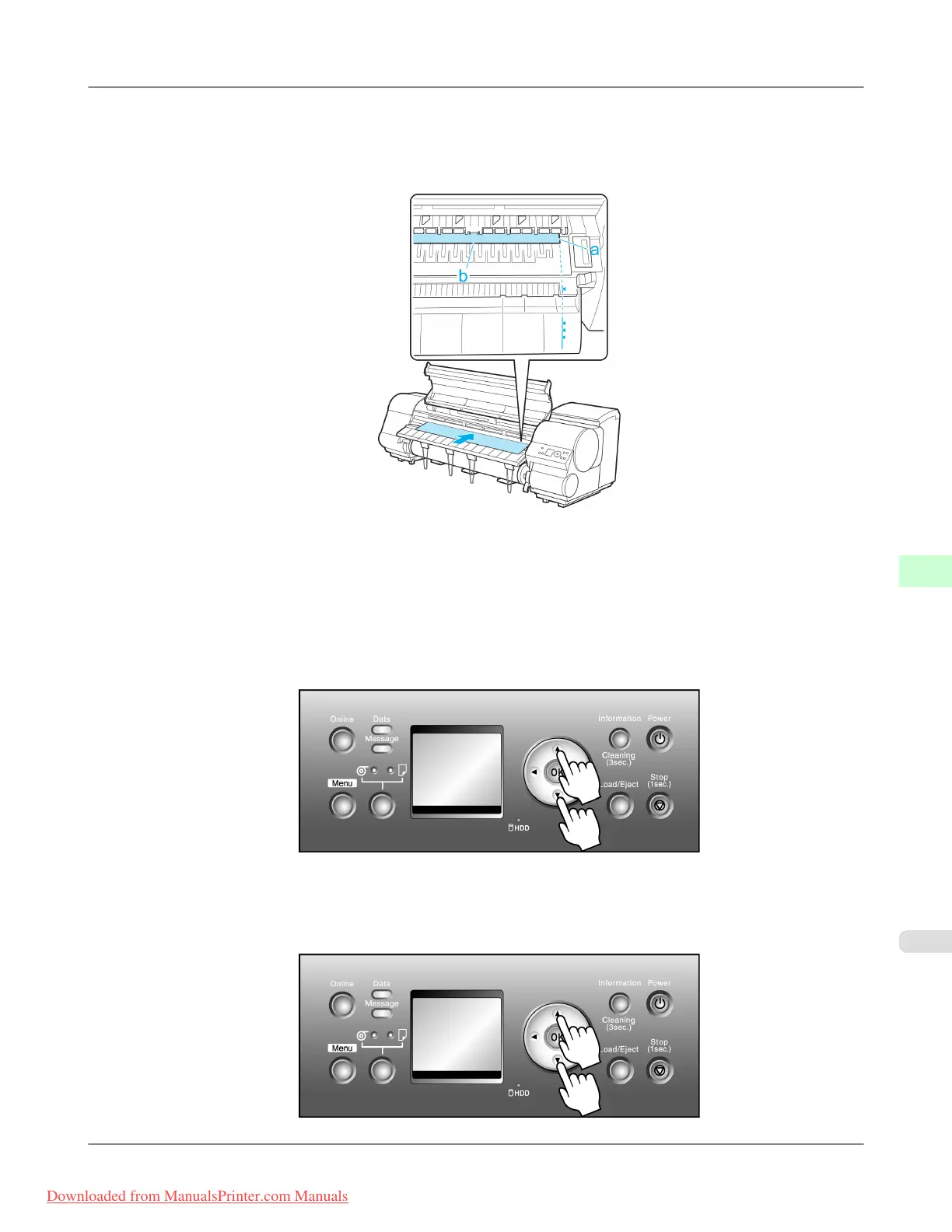
2. Keeping
the right edge of the paper aligned with the extended line of the Paper Alignment Line (a) on the right side
of the printer, load the paper so that the near edge is aligned with the groove (b) at the far end of the Platen.
In this case, advance the paper as far into the paper feed slot as possible because it will be printed starting at that
position.
3. Lower the Release Lever and close the Top Cover.
4. If
no print job has been received from the computer, press ▲ or ▼ to select of the type of paper loaded, and then
press the OK button.
5. When "Width Detection OFF. OK to continue?" is shown on the Display Screen, press ▲ or ▼ to select "Leave
OFF" and then press the OK button.
6. Check the position of the loaded paper and press the OK button.
7. Press ▲ or ▼ to select the paper size, and then press the OK button.
Handling Paper
>
Handling sheets
>
iPF815 Manually Loading Paper to the Position for Printing
7
655
Downloaded from ManualsPrinter.com Manuals














 To Next Page