Apply adhesive tape to the rewound paper to hold it in place, if necessary.
Important
• Be careful not to scratch the printed surface.
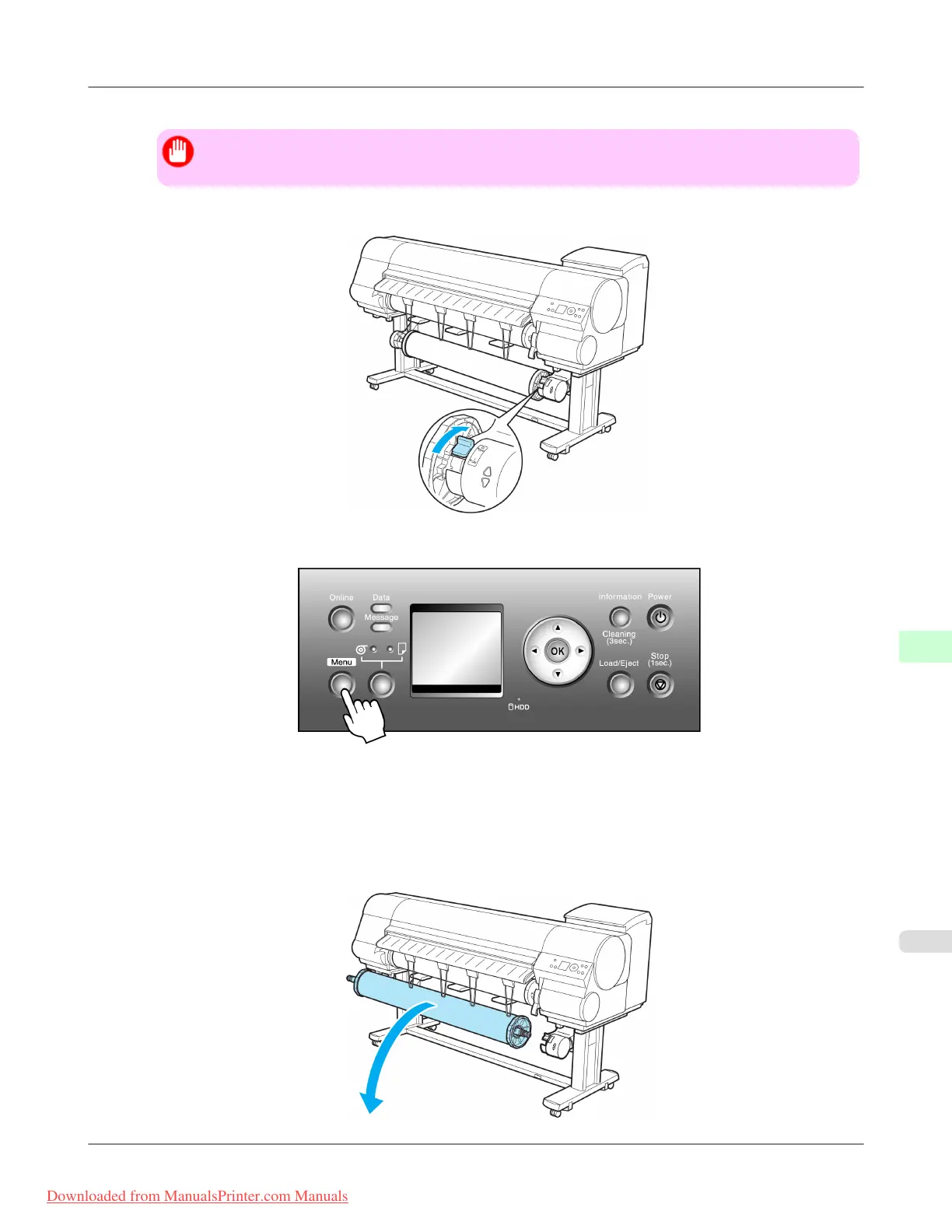
8. Turn off the Media Take-up Unit by pushing in the Rewind Mode Switch.
9. Press the Menu button to display MAIN MENU.
10. Press ▲ or ▼ to select Take-up Reel, and then press the ▶ button.
11. Press ▲ or ▼ to select Disable, and then press the OK button.
12. Remove the Rewind Spool from the Media Take-up Unit.
Printer Parts
>
Optional accessories
>
iPF815 Removing Printed Documents from the Media Take-up Unit
9
763
Downloaded from ManualsPrinter.com Manuals














 To Next Page