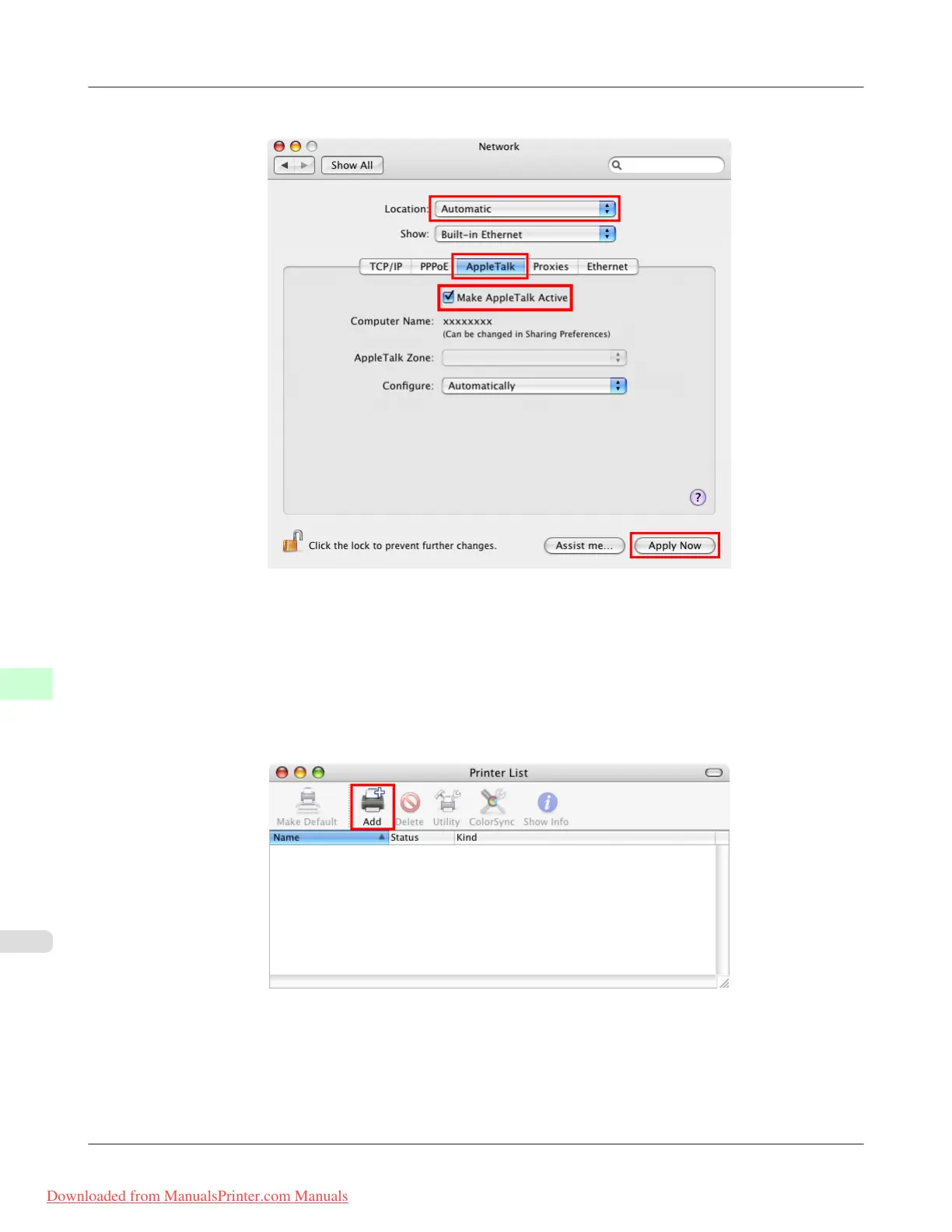
2. In Show, choose Built-in Ethernet. Next, click AppleTalk, select Make AppleTalk Active, and click Apply now.
3. Close the Network window and save the settings.
4. Choose Utilities (or Applications ) in the Go menu of Finder.
5. Click Printer Setup Utility (or Print Center ) in the Utilities folder.
6. If the printer name is not displayed in Printer List, click Add.
Network Setting
>
Network Setting (Mac OS X)
>
Configuring the Destination for AppleTalk Networks iPF815
10
796
Downloaded from ManualsPrinter.com Manuals














 To Next Page