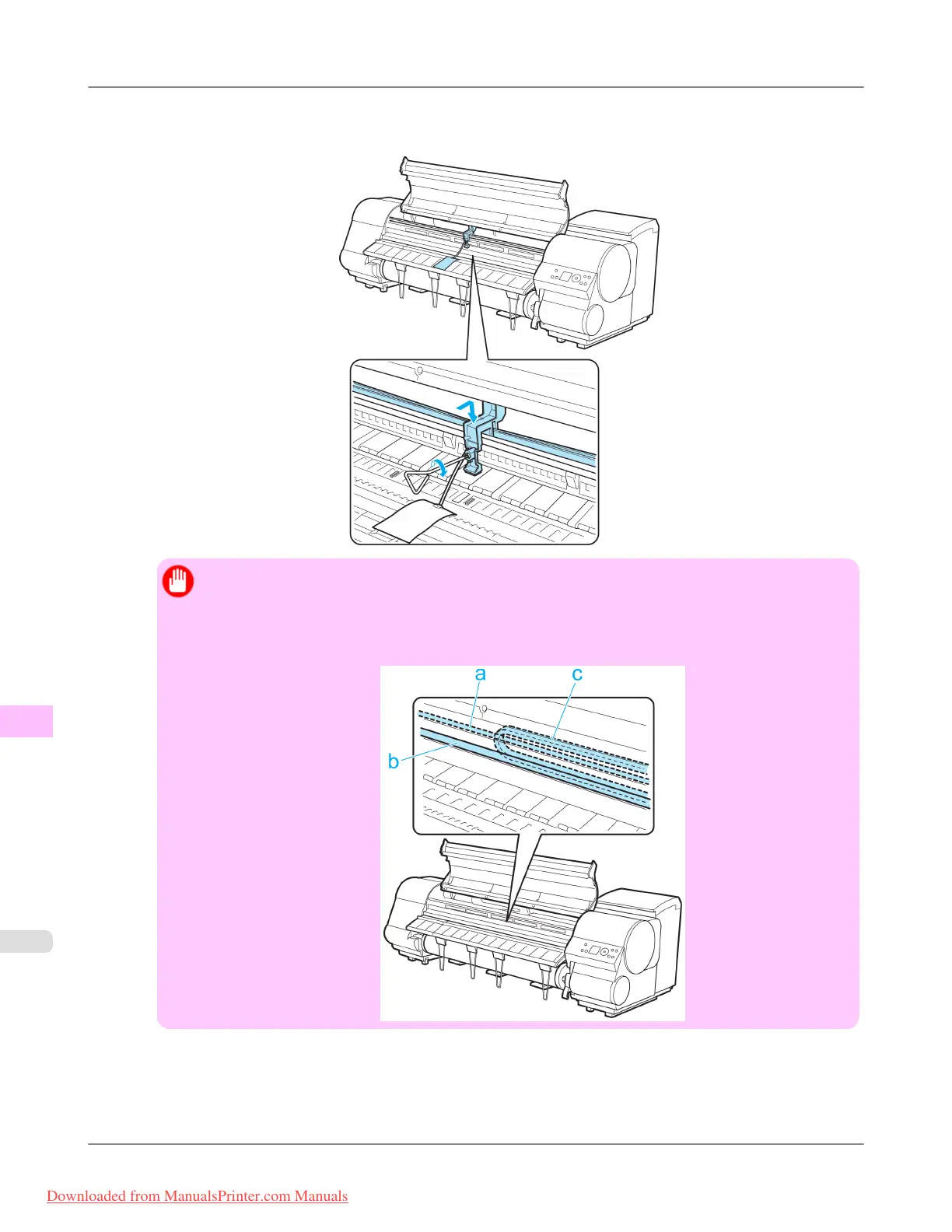
17. Grasp
the Belt, insert it between the Belt Stopper, and affix the Belt Stopper with a hex screw at the position indica-
ted.
Important
• Here, the Belt Stopper is the one that was removed and stored after initial installation. Neglecting to
attach the Belt Stopper may damage the printer.
• Do not touch the Linear Scale (a), Carriage Shaft (b), or Ink Tube Stabilizer (c). Touching these parts
may damage them.
Maintenance
>
Other Maintenance
>
Preparing to Transfer the Printer iPF815
11
846
Downloaded from ManualsPrinter.com Manuals














 To Next Page