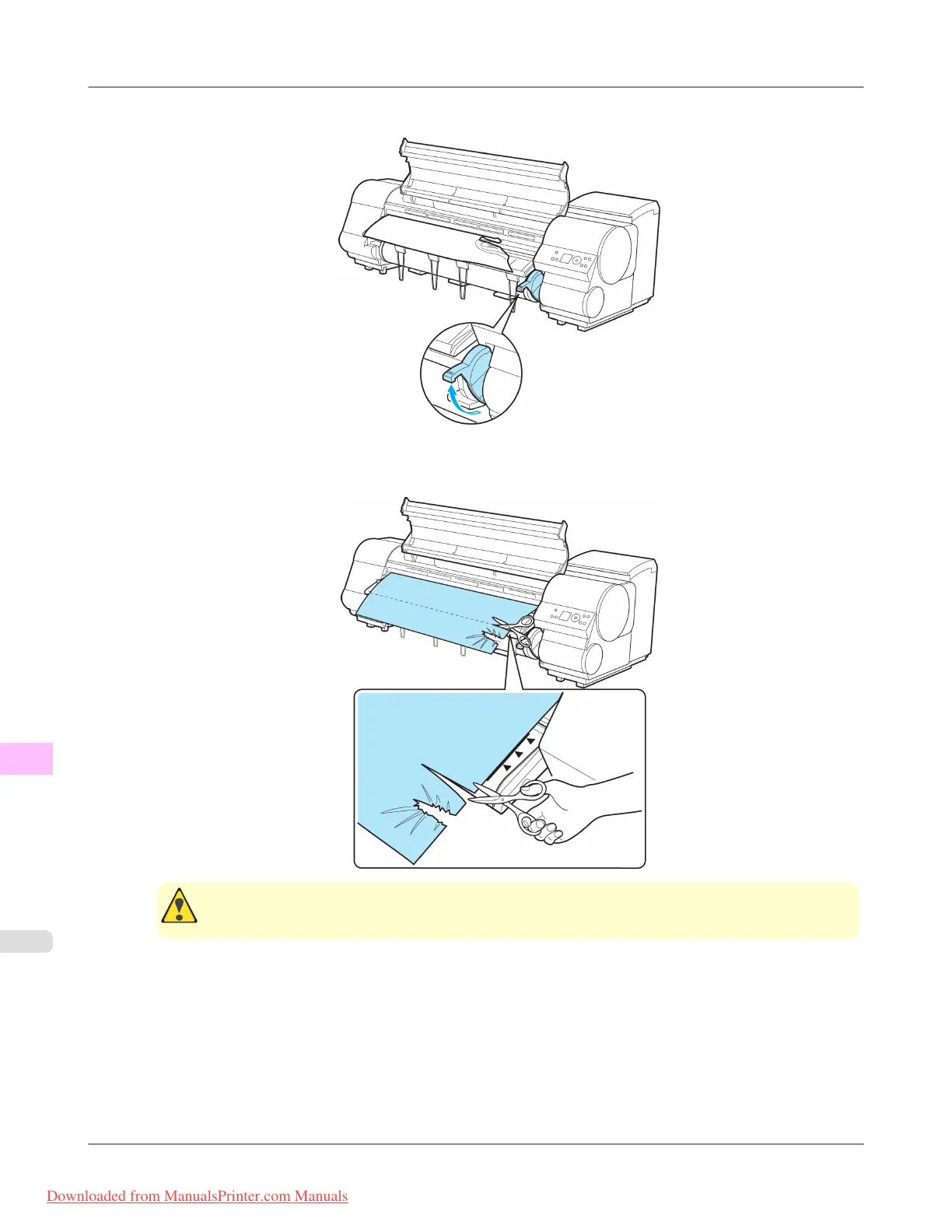
5. Lift the Release Lever.
6. Holding
the paper on both sides, pull the jammed portion out toward the front. Use a scissors or cutting tool to cut
away the printed or wrinkled portion.
Caution
• When cutting paper, be careful to avoid injury and damaging the printer.
Troubleshooting
>
Problems Regarding Paper
>
Clearing Jammed Roll Paper iPF815
12
854
Downloaded from ManualsPrinter.com Manuals














 To Next Page