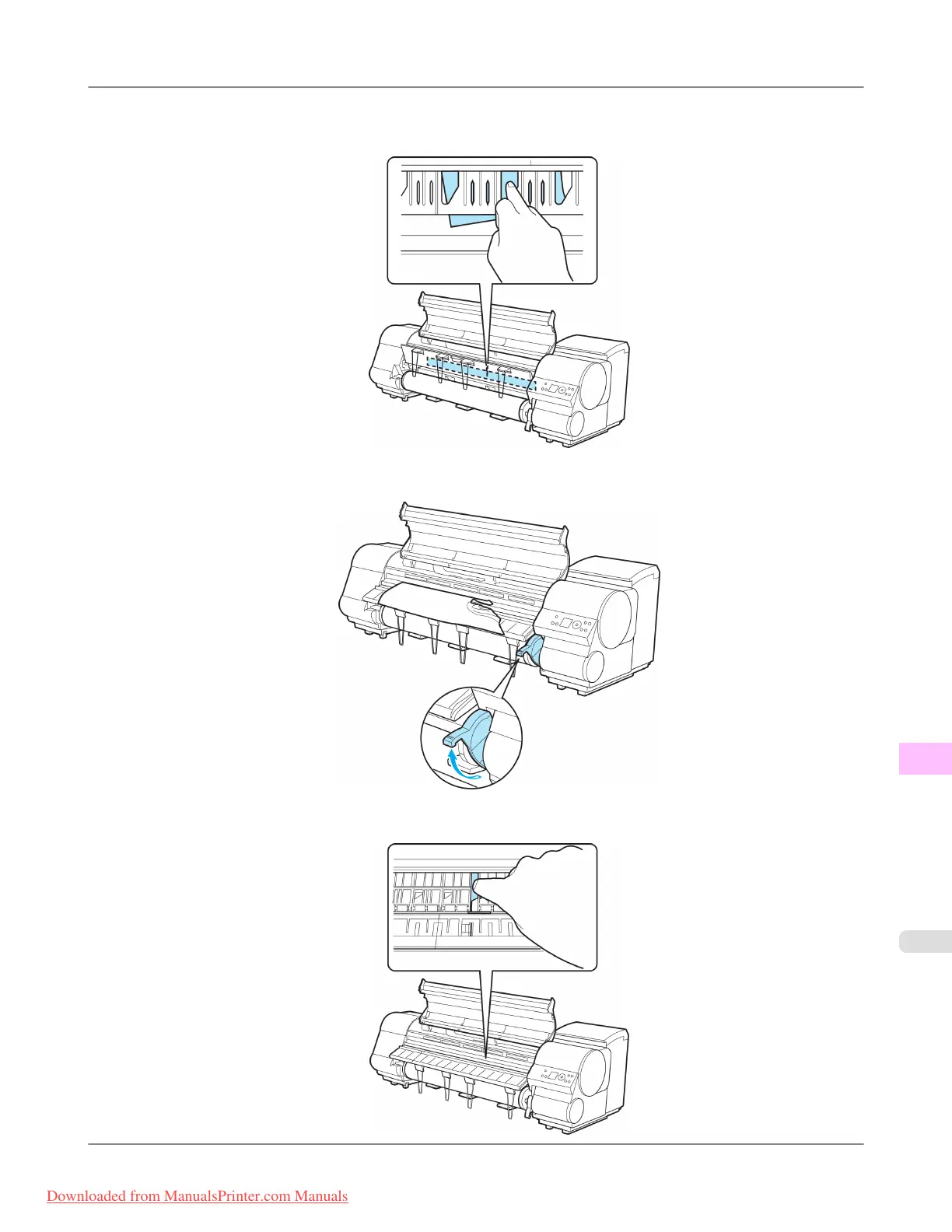
2. Check
for paper in the lower part of the printer. Remove any jammed paper here by pushing it to the floor with your
fingers.
3. Lift the Release Lever.
4. Open the Top Cover, and if there is a paper jam at the position shown, push it inside with your fingers.
Troubleshooting
>
Problems Regarding Paper
>
iPF815 Troubleshooting When Paper Jams are not Found
12
859
Downloaded from ManualsPrinter.com Manuals














 To Next Page