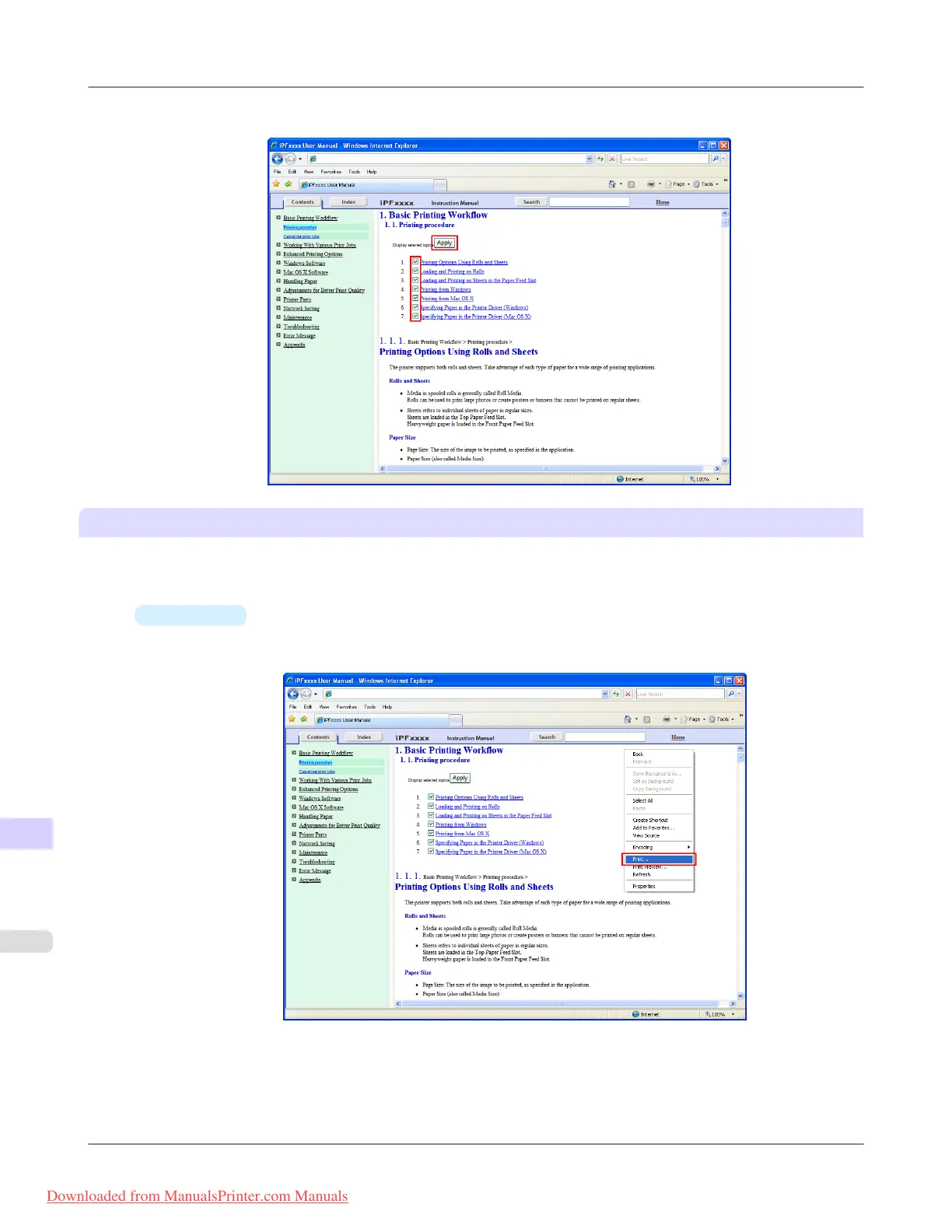
4. Clear the topics you will not print and click the Apply button.
Printing selected topics
Print selected topics as follows.
1. Access the printing dialog box as follows, depending on your computer's operating system.
•
Windows
In Windows, right-click anywhere in the explanation area except on a figure or a link.In the shortcut menu,
click Print to display the Print dialog box.
Appendix
>
How to use this manual
>
HTML Version of the Manual for Printing iPF815
14
928
Downloaded from ManualsPrinter.com Manuals














 To Next Page