LASER CLASS 730i/720i/710 Chapter 1: General Description
1-22
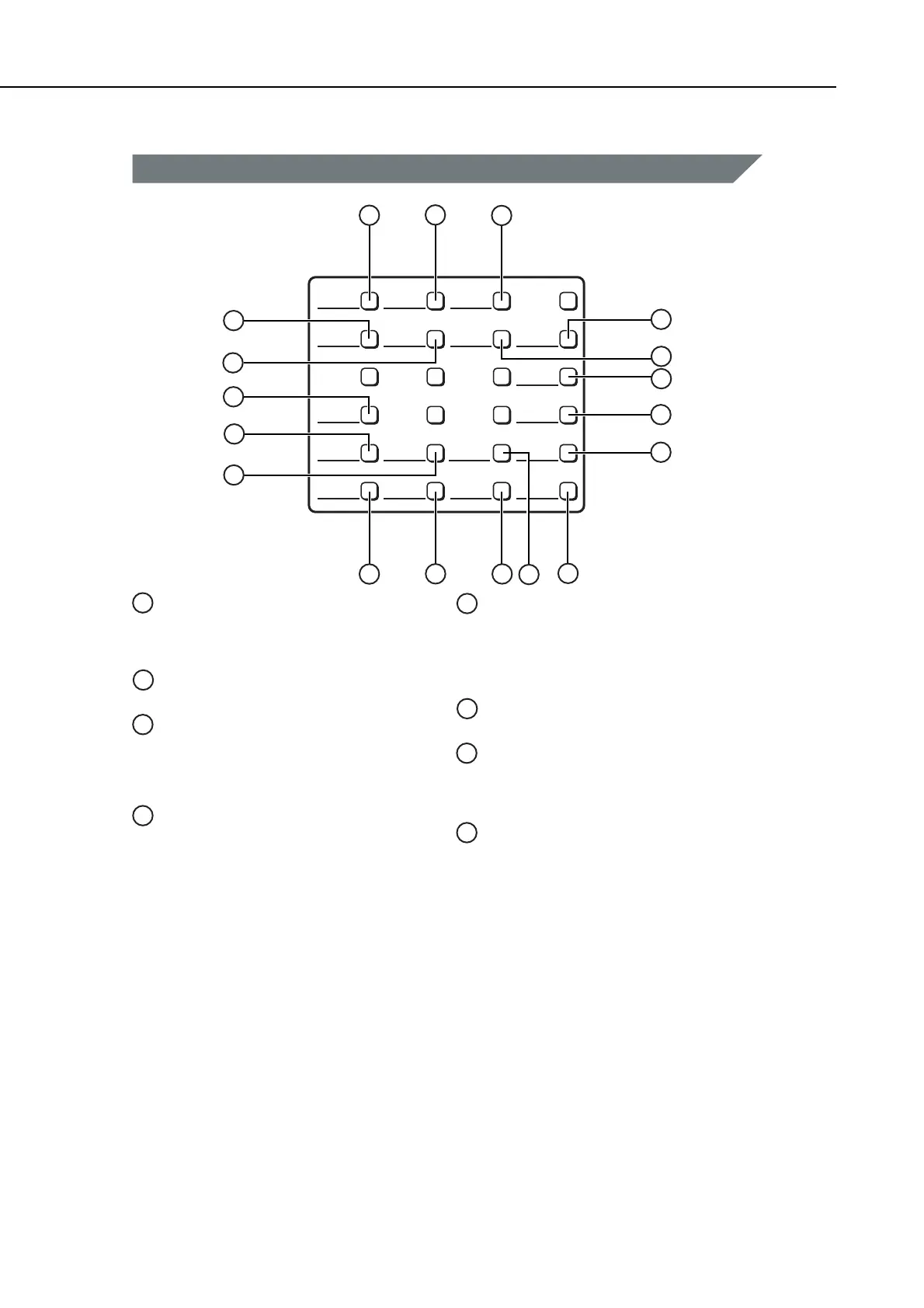
Figure 1-9 Operation Panel (4)
Data Registration
Starts data registration for speed dialing, sender
information, and other important settings for
sending and receiving.
Delayed Transmission
Sets a time for delayed sending.
Advanced Communication
Press to set a document for advanced
communications, such as polling sending/
receiving, confidential mailbox, and relay
broadcast.
Memory Reference
Performs operations with documents currently
stored in memory, including printing a list of
documents, printing a document, sending a
document to another destination, or deleting a
document.
ID
Press to enter the Department ID.
Tone
Connects to information services that accept tone
dialing only, even if you are using a rotary pulse
line.
Data
Registration
Memory
Reception
TTI
Selector
Stamp
(Option)
Subaddress
Delayed
Transmission
Transfer
Pin Code Return
Password
Advanced
Communication
Memory
Reference
Space
Report
Tone
ID
+
Delete
1
2
3
5
4
6
7
8
9
14
15
16
11
12
13
18
17
1
2
3
4
6
5
7
8
10
Report
Prints reports about information registered in the
machine.
+
Press [+] to enter a plus sign in a fax number.
manuals4you.commanuals4you.com









 To Next Page