LASER CLASS 730i/720i/710 Chapter 3: Assembly and Disassembly
3-5
2. DISASSEMBLY/ASSEMBLY
As a rule, refer to the Parts Catalog for instructions on how to disassemble and assemble the
machine. The discussions that follow are limited to those components that are thought to require
replacement relatively more often than others.
2.1 Disassembly Procedure
2.1.1 Document separation roller (Lower)
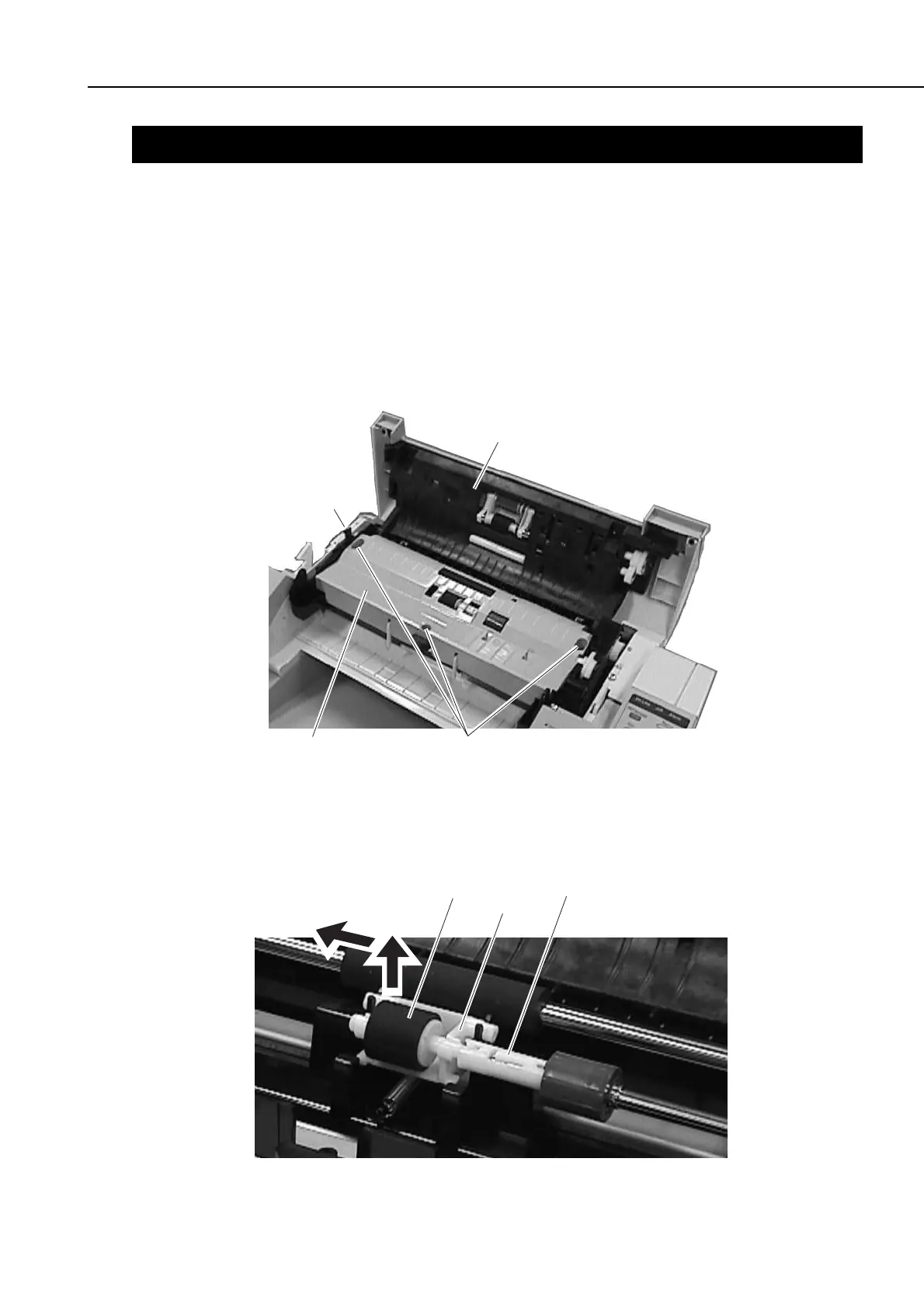
(1) Remove the document tray, and open the upper reader section. When doing so, try
pushing the left claw toward the inside.
(2) Remove the 3 screws (a), and detach the middle reader cover.
Figure 3-2 Document Separation Roller (Lower) 1
(3) Lift the separation roller, and detach it from the holder.
(4) Pull the separation roller to the left, out of the ADF connection shaft, to detach.
Figure 3-3 Document Separation Roller (Lower) 2
Upper reader section
Claw
Middle reader cover
a
Separation roller
ADF connection shaft
Holder









 To Next Page