LASER CLASS 730i/720i/710 Chapter 4: Maintenance and Service
4-5
2.9 Transfer Guide
a) Preparations for cleaning
(1) Disconnect the power cord of the main unit from the power source.
(2) Lift the document feeder tray and document output tray.
(3) Open the printer cover and remove the toner cartridge.
Store the toner cartridge in its original protective bag to avoid exposure to light.
b) Cleaning
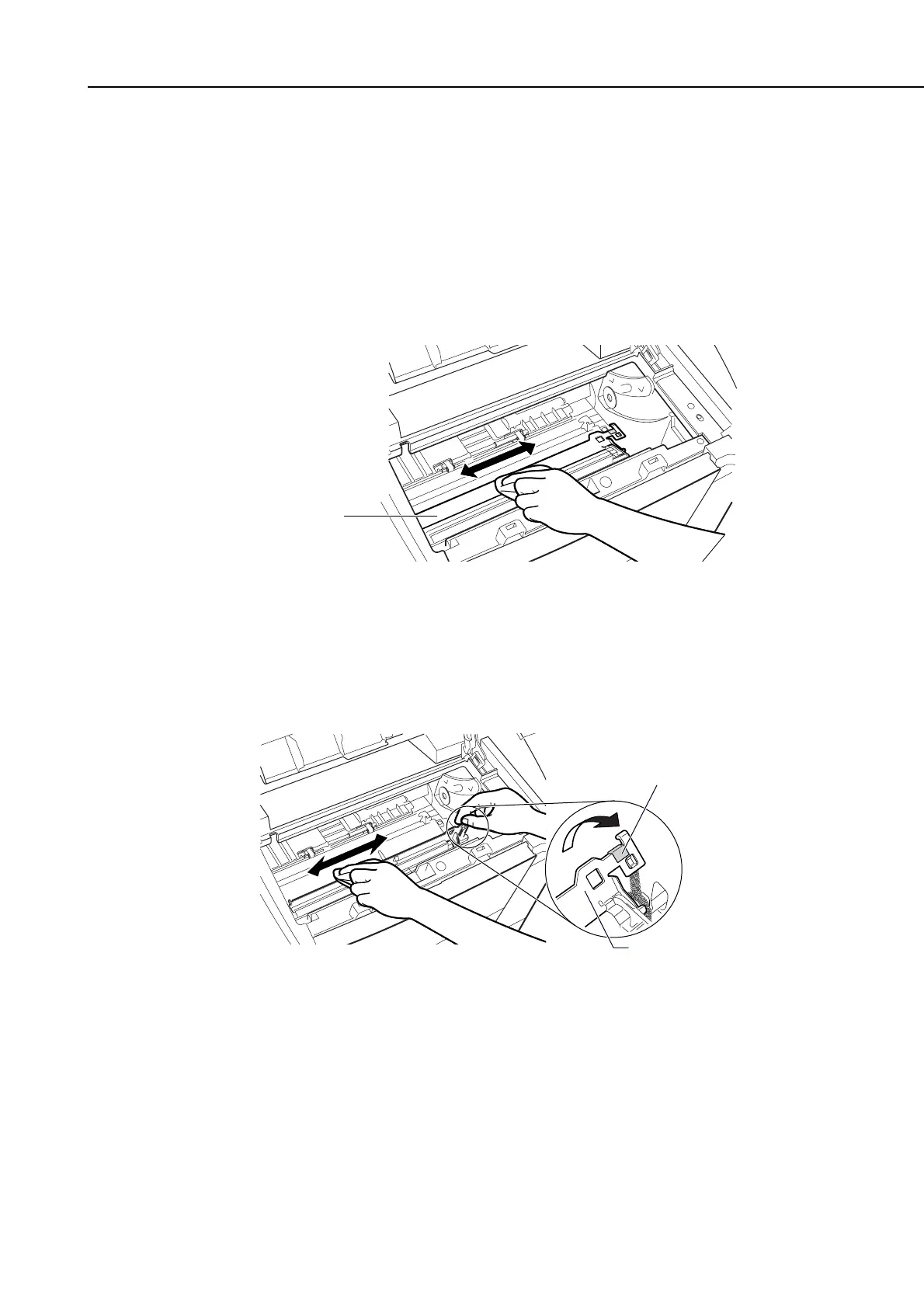
(1) Using a soft clean cloth, wipe any dust off the blank plate of the transfer guide.
Figure 4-3 Cleaning Location 1
(2) While holding by the green label, flip the transfer guide up to its full extent.
Wipe the edge of the transfer guide with a soft, clean cloth, to remove toner
and paper dust from both sides of transfer guide.
Figure 4-4 Cleaning Location 2
Transfer Guide
Transfer Guide
Green Label
manuals4you.commanuals4you.com









 To Next Page