LASER CLASS 730i/720i/710 Chapter 3: Assembly and Disassembly
3-6
2.1.2 Document separation roller (Upper)
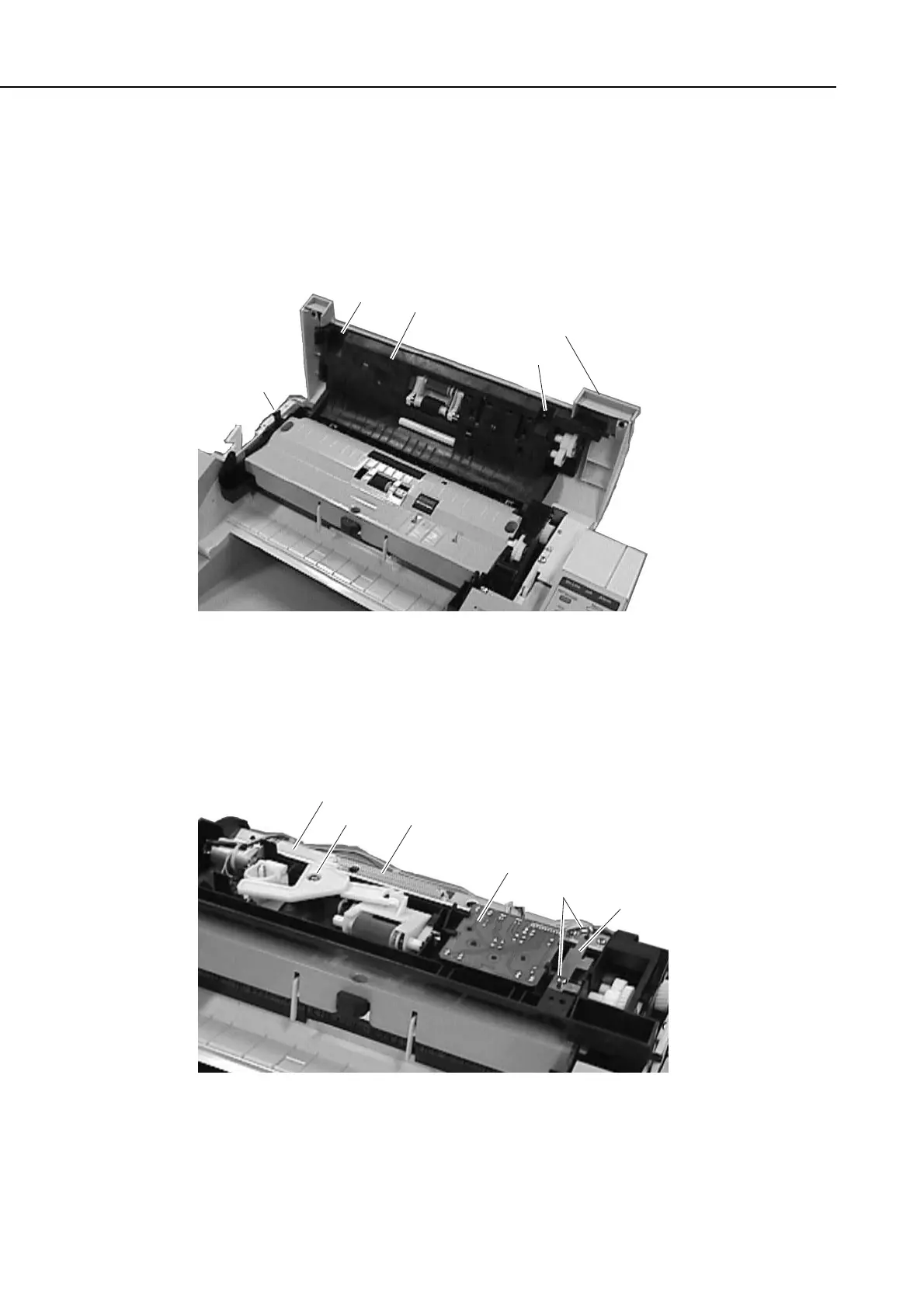
(1) Remove the document tray, and open the upper reader section. When doing so, try
pushing the left claw toward the inside.
(2) Remove the 2 screws (a), and detach the upper reader cover; then, close the upper
reader section.
Figure 3-4 Document Separation Roller (Upper) 1
(3) Remove the screw (b), and detach the arm and spring.
(4) Detach the sensor board.
(5) Remove the 2 screws (c), and detach the grounding plate.
Figure 3-5 Document Separation Roller (Upper) 2
Upper reader section
Upper reader cover
a
a
Claw
b
Spring
Sensor board
Grounding
plate
Arm
c
manuals4you.commanuals4you.com









 To Next Page