Chapter 2 Document Handling 15
Loading documents
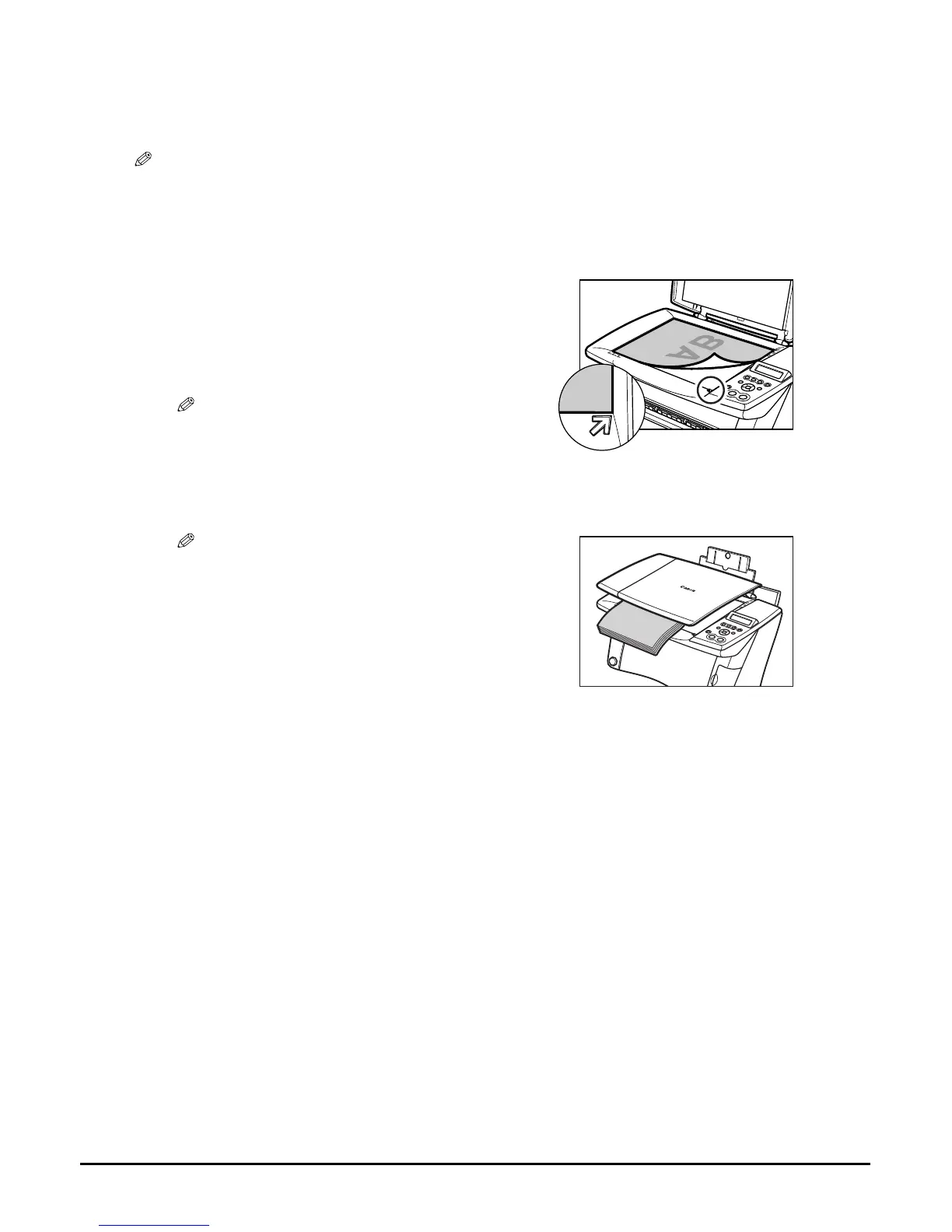
To copy or scan a document, set it on the platen glass.
NOTE
• Make sure any glue, ink, or correction fluid on the document is completely dry before loading.
• Make sure no staples or clips are attached to the document before loading.
1 Lift the document cover.
2 Load your document on the platen glass.
• Place your document face down on the platen glass.
• Align the upper left corner of your document with
the alignment mark on the lower right corner of the
platen glass.
NOTE
• The machine cannot scan the area within
approximately 1/8 in. (3 mm) of the front and right
edges of the platen glass.
3 Gently close the document cover.
NOTE
• Thick documents (Max. 3/4 in./20 mm), such as
books, can also be copied or scanned. Load thick
documents as described.














 To Next Page