Chapter 5 Photo Printing from a Memory Card (MP370) 49
Inserting/removing a memory card
Inserting a memory card
There are two ways of inserting a memory card depending on the type of the memory card: one is
to insert a memory card directly into the card slot, and the other one is to insert a memory card
through a CF card adaptor (optional).
CAUTION
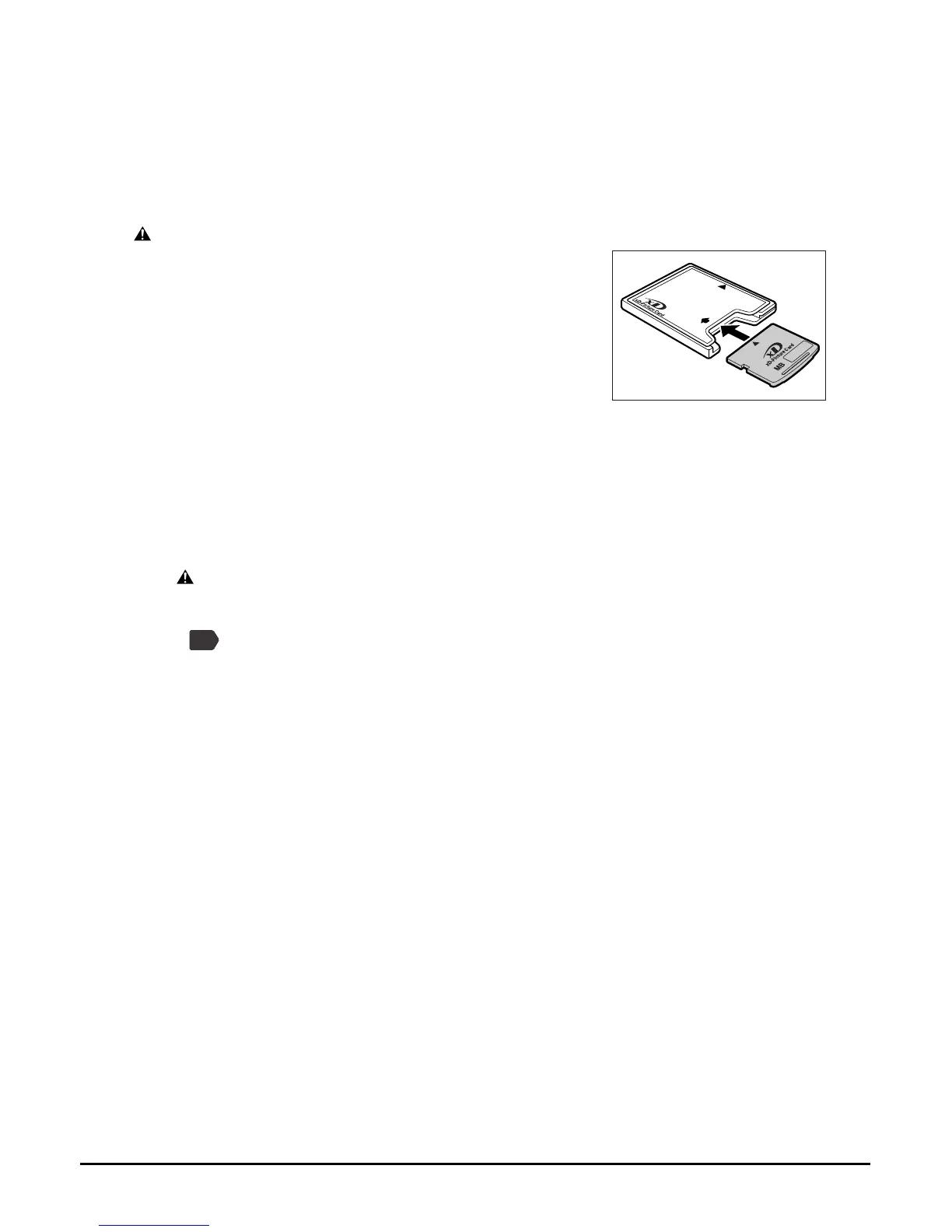
• When using an xD Picture card, make sure to insert the
card into a CF card adaptor (optional) before inserting it
into the card slot of the machine.
Follow this procedure:
1 Make sure the machine is turned ON.
2 Open the card slot cover on the lower right of the machine.
3 Insert the memory card or the CF card adaptor containing the memory
card into the appropriate card slot.
CAUTION
• Do not force a memory card into a CF card adaptor while the adaptor is in the card slot.
For more information, see the manual supplied with your CF card adaptor.
• If you are using an SD memory card, depending on how you insert it, the write protect
lock occasionally may lock, and you will not be able to write from a computer. If this
occurs, release the SD memory card lock, being cautious of the write protect lock, insert
the memory card.
PC














 To Next Page