Chapter 3 Print Media Handling 26
Loading envelopes
Follow this procedure:
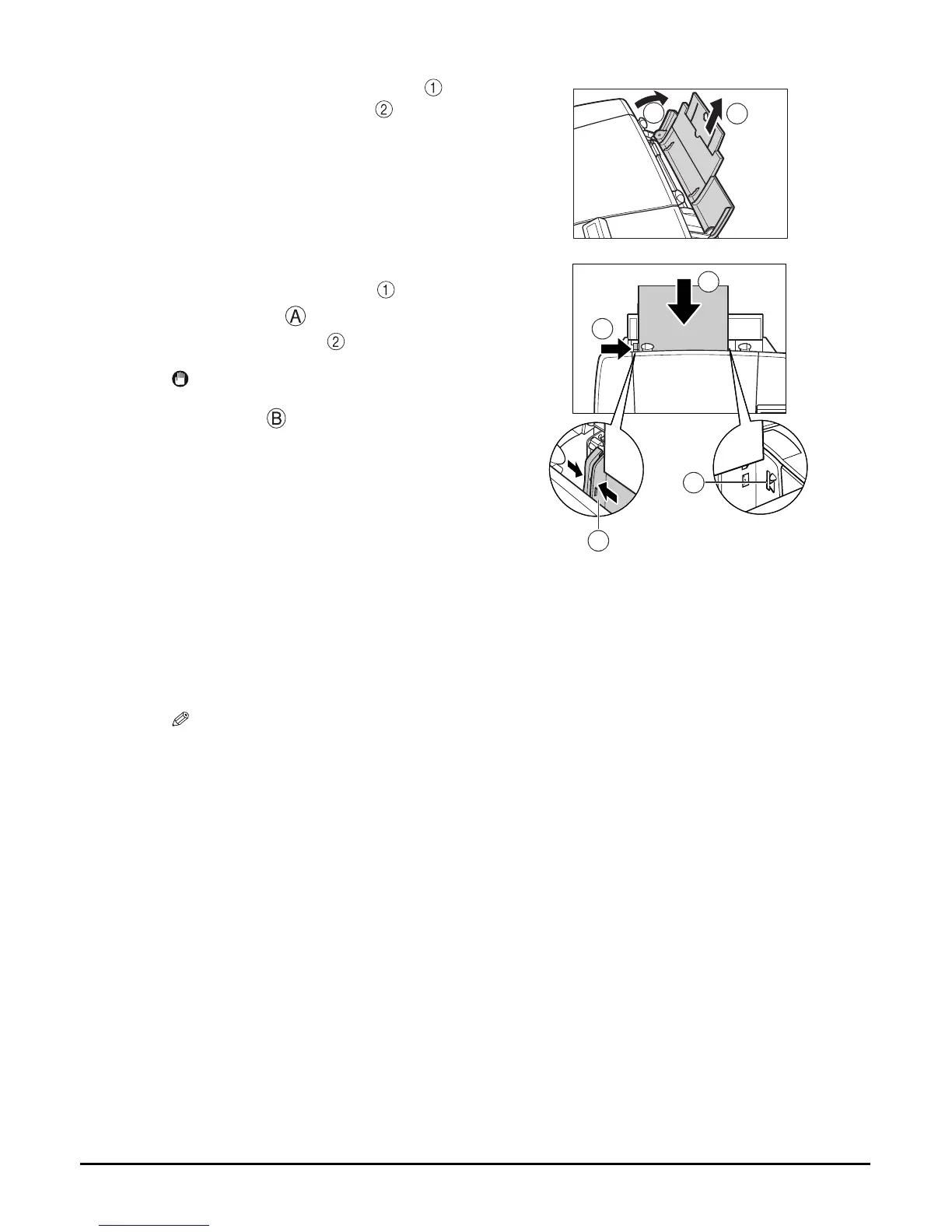
2 Open the multi-purpose tray , then pull
out the tray extension .
• The tray extension can be extended in two parts.
3 Place a stack of paper (print side up) in
the multi-purpose tray , and pinch the
paper guide and adjust it to the left
side of the stack .
IMPORTANT
• Make sure the stack does not exceed the paper
limit mark .
1 Set the paper thickness lever to the right.
NOTE
• For details on setting the paper thickness lever, see page 24.
2 Open the multi-purpose tray, then pull out the tray extension.
1
2
1
2
A
B














 To Next Page