Chapter 5 Photo Printing from a Memory Card (MP370) 65
NOTE
• You may not be able to print photographs if their file sizes are too large. Print the photographs from your
computer
. (See page 88.)
• For details on vivid photo printing, see page 53.
• Borderless and vivid photo printing are disabled when <PLAIN PAPER> is selected for the print media
type.
• You cannot set date printing from the machine for DPOF printing. (
See
page 75.)
Printing an index
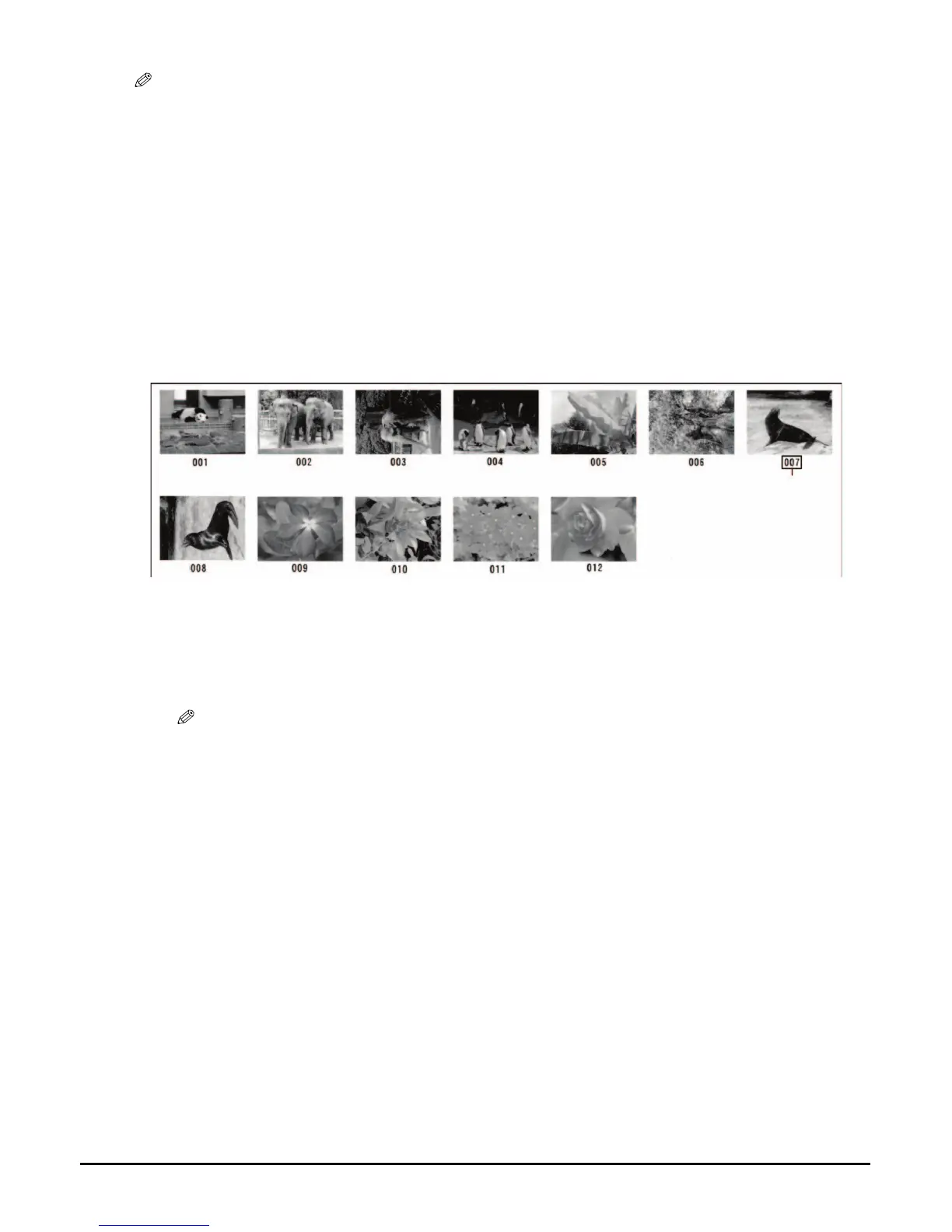
This printing method prints thumbnails of the photographs on a memory card. An index is useful
to see small versions of all photographs on a memory card without having to print each photograph
individually. When you print an index, an image number is assigned to each thumbnail. You will
need to use these image numbers to select the photographs you want to print in a larger format.
Follow this procedure:
1 Turn ON the machine, and load the correct print media in the
multi-purpose tray.
NOTE
• For details on print media, see page 16.
• For details on how to load print media, see page 25.
2 Insert the memory card. (See page 49.)
3 Press [PHOTO].
Image Number














 To Next Page