19
Preparation
E
Step 4: Preparing the Camcorder
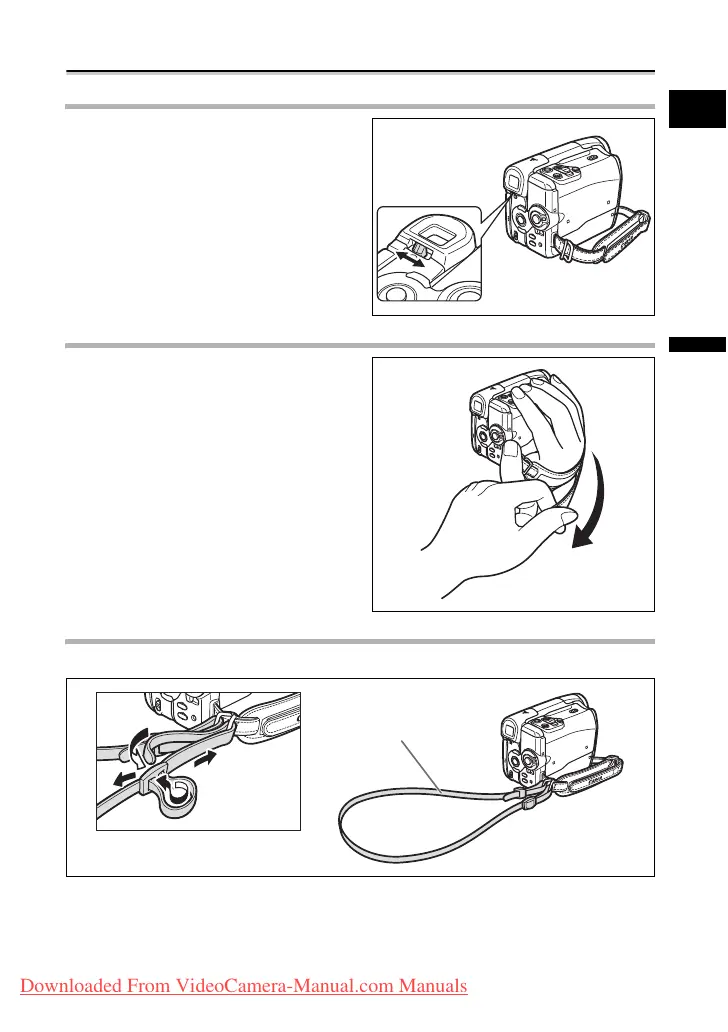
Adjusting the Viewfinder (Dioptric Adjustment)
1. Turn on the camcorder and keep
the LCD panel closed.
2. Adjust the dioptric adjustment
lever.
Fastening the Grip Belt
Adjust the grip belt so that you can
reach the zoom lever with your index
finger, and the start/stop button with
your thumb.
Attaching the Shoulder Strap
Pass the ends through the strap mount and adjust the length of the strap.
SS-900 Shoulder strap
Downloaded From VideoCamera-Manual.com Manuals



 To Next Page