21
Preparation
E
Step 5: Using the Wireless Controller
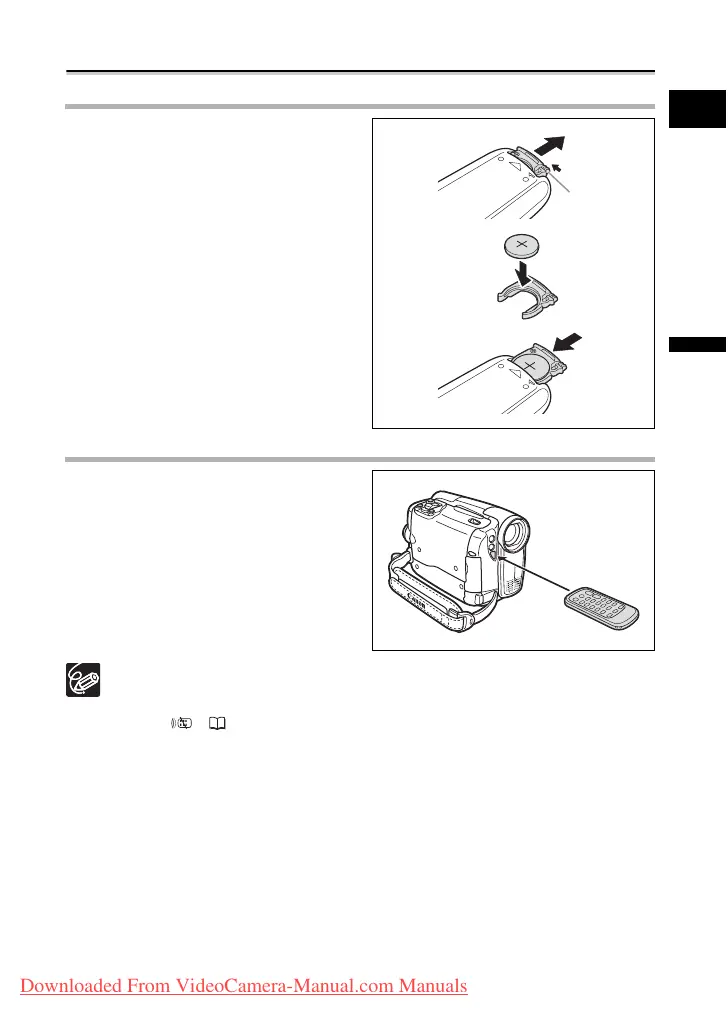
Inserting the Battery (Lithium Button Battery CR2025)
1. Press the tab in the direction of
the arrow and pull out the battery
holder.
2. Place the lithium button battery
with the + side facing up.
3. Insert the battery holder.
Using the Wireless Controller
Point it at the camcorder’s remote
sensor when you press the buttons.
The wireless controller may not work properly when the remote sensor is
subjected to strong light sources or direct sunlight.
If the wireless controller does not work, check if the remote sensor is set to
[OFF ] ( 67).
When the camcorder cannot be operated with the wireless controller, or when it
can only be operated at very close range, replace the battery.
Tab
Downloaded From VideoCamera-Manual.com Manuals



 To Next Page