110
Using the AC Adapter Kit ACK800
It is best to power the camera with AC Adapter Kit ACK800 (sold
separately) when you are using it for long periods of time or
connecting it to a computer.
z It takes approximately 4 hours 40 minutes for the charger to
fully recharge the batteries after they have been fully
discharged. When two batteries are placed on each side of
the charger, recharging will take approximately two hours
(as determined by testing at Canon facilities).
Charge batteries in an environment where the temperature
is in the range of 0 to 35°C (32 to 95°F).
z The charging time varies according to the ambient
temperature and to the battery charge state.
z The battery charger may emit noise while charging. This is
not a malfunction.
z Battery/Charger Kit CBK4-200 can also be used.
Turn the camera power off before connecting or
disconnecting the AC adapter.
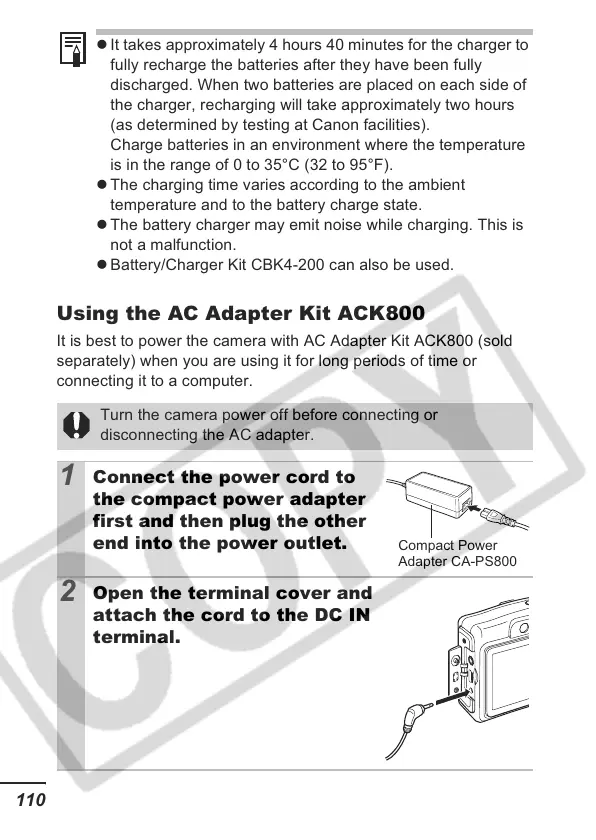
1
Connect the power cord to
the compact power adapter
first and then plug the other
end into the power outlet.
2
Open the terminal cover and
attach the cord to the DC IN
terminal.
Compact Power
Adapter CA-PS800













 To Next Page