113
Appendix
Attaching a Lens
1
Be sure that the camera is turned off.
2
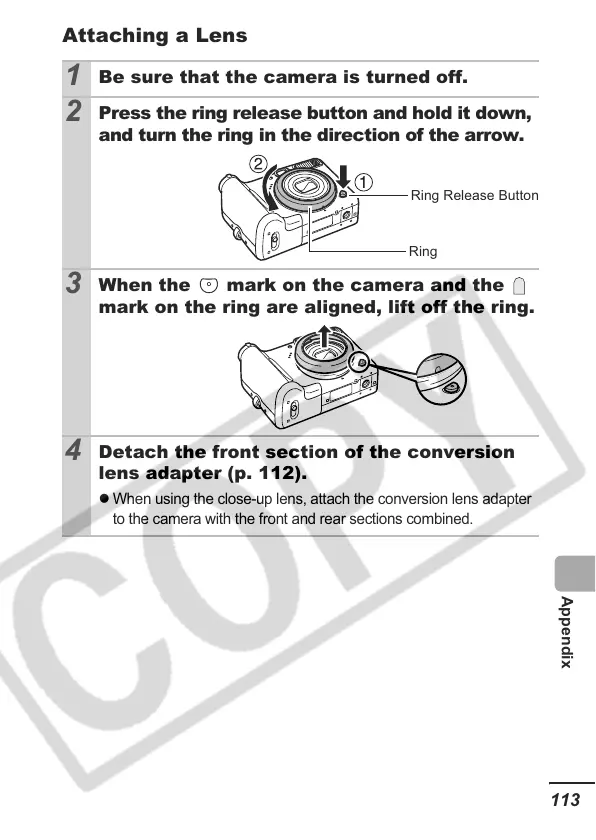
Press the ring release button and hold it down,
and turn the ring in the direction of the arrow.
3
When the mark on the camera and the
mark on the ring are aligned, lift off the ring.
4
Detach the front section of the conversion
lens adapter (p. 112).
z
When using the close-up lens, attach the conversion lens adapter
to the camera with the front and rear sections combined.
Ring Release Button
Ring













 To Next Page