43
Shooting
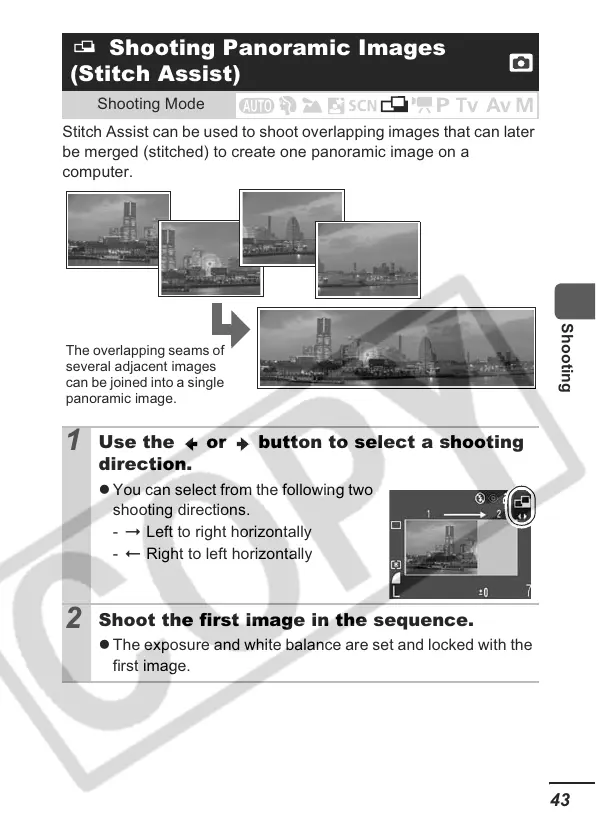
Stitch Assist can be used to shoot overlapping images that can later
be merged (stitched) to create one panoramic image on a
computer.
Shooting Panoramic Images
(Stitch Assist)
Shooting Mode
1
Use the or button to select a shooting
direction.
z You can select from the following two
shooting directions.
-
Left to right horizontally
-
Right to left horizontally
2
Shoot the first image in the sequence.
z The exposure and white balance are set and locked with the
first image.
The overlapping seams of
several adjacent images
can be joined into a single
panoramic image.













 To Next Page