17
Before Using the Camera – Basic Operations
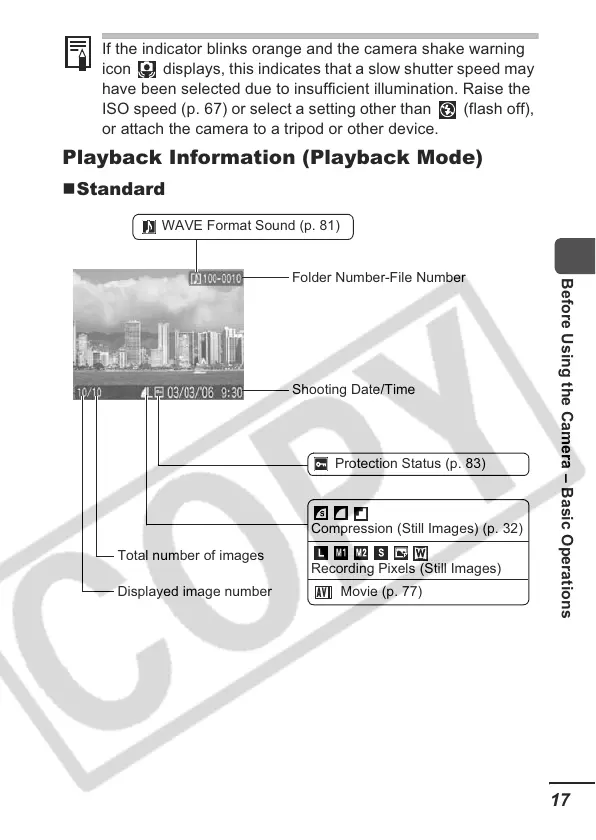
Playback Information (Playback Mode)
Standard
If the indicator blinks orange and the camera shake warning
icon displays, this indicates that a slow shutter speed may
have been selected due to insufficient illumination. Raise the
ISO speed (p. 67) or select a setting other than (flash off),
or attach the camera to a tripod or other device.
Shooting Date/Time
Displayed image number
Total number of images
Protection Status (p. 83)
WAVE Format Sound (p. 81)
Folder Number-File Number
Compression (Still Images) (p. 32)
Recording Pixels (Still Images)
Movie (p. 77)













 To Next Page