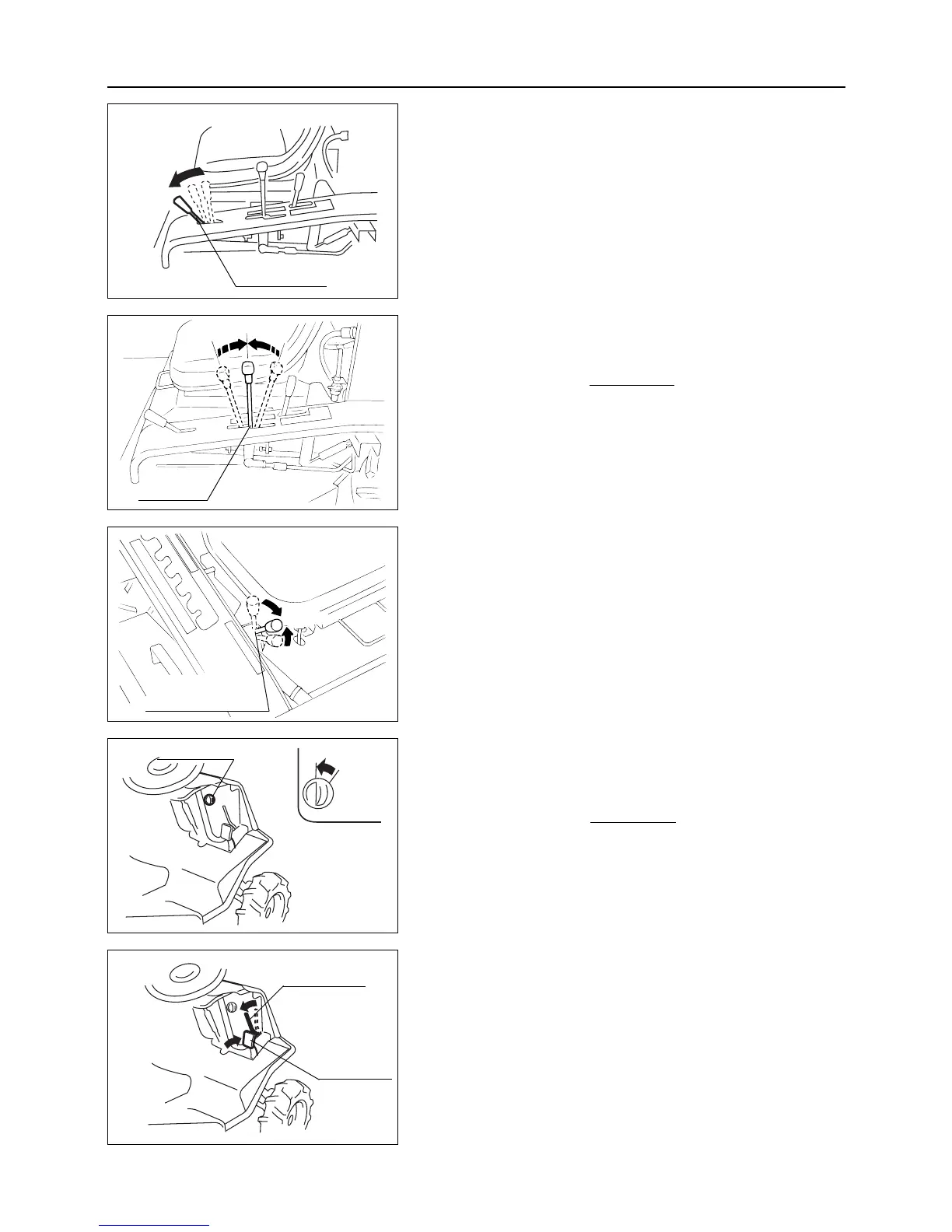
2. Return drive lever to [Neutral] position and stop machine.
In case of an emergency, depress brake pedal.
Drive lever automatically returns to [Neutral]
position and machine stops.
3. Move auxiliary transmission shift lever back to [Neutral]
position.
4. Turn main switch to [OFF] position.
5. Remove key.
Do not leave main switch in [ON] position.
Current from battery continues to flow and
causes battery to discharge.
6. Depress brake pedal fully and apply parking brake lock lever
to lock brake pedal.
– 21 –
6
Operation
6.4 Stopping
1. Move throttle lever to [Low speed] position to decrease
engine speed.
Neutral
OFF
Main switch
Brake pedal
Parking brake
lock lever
Throttle lever
Low speed
Aux. transmission
shift lever
Drive lever
Neutral



 To Next Page